User Review (1)  Go to Win ->
$37.50 $18.75 50% OFF
Almighty Mac Blu-ray to WMV Ripper to fulfill Blu-ray to WMV conversion demand
Blu-ray to WMV Ripper for Mac enables you to rip Blu-ray movies to WMV, MP4, AVI, WebM, etc with extremely fast speed and unprecedentedly incredible quality. It's your first choice when you want to enjoy the Blu-ray movies on Mac without Blu-ray drive.

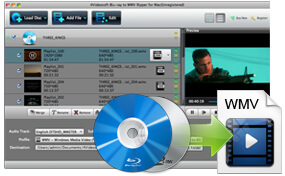
Movie zealots are crazy about Blu-ray discs for the high-definition. However, sometimes we need to convert Blu-ray movies to WMV videos. Blu-ray to WMV Ripper for Mac is the first-rank Blu-ray converter in the world. It can convert Blu-ray disc that released by any country and religion with no limitation. In addition, you're entitled to rip DVD movies to WMV, MP4, AVI, WebM, etc. The converted Blu-ray and DVD movies can play on various multimedia players like BlackBerry, Nokia, Google Phone, Xbox, Zune, Sony Walkman, etc for a better enjoyment. This great Mac Blu-ray to WMV Converter will make your multimedia life more colorful.
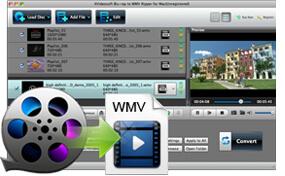
Besides converting Blu-ray and DVD movies to WMV files, it's able to convert almost all video files like MP4, MKV, MTS, MXF, M2TS, VOB, MOV, etc and even HD video format like HD MOV, HD TS, HD AVI, HD MP4, etc to WMV with ultra-fast conversion speed and fabulous video quality. This versatile Blu-ray to WMV Ripping tool will totally fulfill your any video conversion with no limitation. What's more, the audio files can be extracted from the video files and converted to MP3, WMA and ALAC. Thus you have no compatibility problem when trying to play some video/audio files with certain media players.
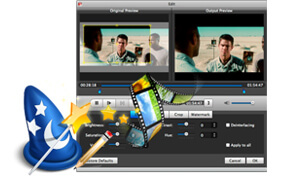
With this Blu-ray to WMV Converter for Mac, you can definitely get ideal output video due to some creative and flexible video editing functions. With Effect function, you're able to change the parameter of Brightness, Contrast, Saturation, Hue and Volume at your disposal. The Trim function will make the proper video length for you and Crop function helps you get the video frame that is perfect for your media player. If you're fond of enjoying the videos without cease, Merge function will realize your dream. All of these guarantee you an ideal output video.
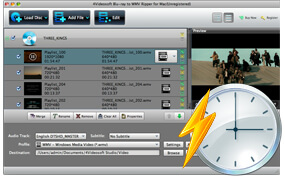
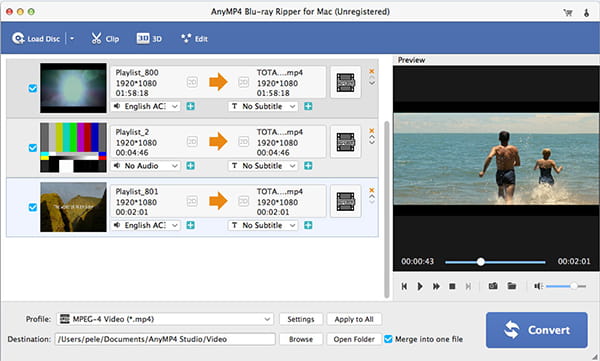
Mac Blu-ray to WMV Ripper is very easy to use. With the initial interface, you're able to complete the ripping Blu-ray/DVD to WMV video and converting video file to WMV with a few simple clicks. In addition, you're free to adjust the video and audio settings in the "Profile Settings" window. Batch conversion is supported so you can get multiple WMV files at one time.
Screenshot
Reference
Processor: Intel® processor and M1&M2 chip
OS Supported: Mac OS 10.12 (Sierra) or later (including macOS Sonoma)
Hardware Requirements: 512MB RAM, Super VGA (800×600) resolution, 16-bit graphics card or higher
| Support Input File Formats | |
| Blu-ray | Blu-ray Disc, Blu-ray Folder |
| Support Output File Formats | |
| Video | MTS, TS, M2TS, TP, TRP, HD MPG, HD MPEG, HD MPEG2, HD MPEG4, HD MP4, HD WMV, QuickTime HD MOV, TS, MTS, M2TS, MXF, TRP, TP, MP4, M4V, QT, MOV, MPG, MPEG, MPEG2, MPEG4, MJPG, MJPEG, AVI, 3GP, 3G2, FLV, MOD, TOD, RM, RMVB, WMV, ASF, MKV, SWF, F4V, VOB, DAT, DV, DIF, WebM |
| Audio | FLAC, WAV, WMA, MP3, MP2, AAC, AC3, AIFF, APE, CAF, MPC, QCP, OGG, M4A, M4B, AUD, MKA, AIFC, RA, RAM, AU, AIF, CUE |
| Snapshot Image | JPEG, GIF, BMP |
| Support Devices | |
| iPad (iPad Pro, iPad mini 4, iPad Air 2), iPhone (iPhone 15/15 Plus/15 Pro/15 Pro Max, iPhone 14/14 Plus/14 Pro/14 Pro Max, iPhone 13/13 Pro/13 Pro Max/13 mini, iPhone 12 Pro Max/12 Pro/12/12 mini, iPhone 11 Pro Max, iPhone 11 Pro, iPhone 11, iPhone XS, iPhone XS Max, iPhone XR, iPhone X, iPhone 8/8 Plus, iPhone 7/7 Plus, iPhone 6/6 Plus), iPod (iPod touch, iPod nano, iPod classic), Apple TV Android devices: Samsung, HTC, Motorola, LG, Acer, Dell Mobile phones: BlackBerry, Nokia, Motorola, LG, Sony Ericsson, Sony Xperia, Sony Walkman NDS, PSP, PS3, Wii, Xbox 360 Archos, Creative ZEN, iRiver, Sony Walkman, ZEN Player, Zune, Sansa General Pocket PC, HP iPAQ, Palm Pre, etc. |
|
Our Users Are Also Downloading
 Blu-ray Player for Mac
Play Blu-ray movies including Blu-ray discs, Blu-ray folder and ISO file on Mac.
Free Download Buy Now DVD Creator for Mac
Provides the best solution to convert any video format to DVD disc, DVD folder and ISO file on Mac.
Free Download Buy Now