
Converting PDF to Word, Text, image and HTML with PDF Converter Ultimate is so easy and converient.
Considered as the best PDF Converter for you, this PDF Converter Ultimate is capable at converting PDF to Word, PDF to .txt and PDF to image successfully. You can easily enjoy or edit the converted files as you like after having finished the conversion program. The output formats - TXT, Word, RTF, JPEG, PNG, GIF, BMP, PCX, TGA, TIFF format are available, so you can choose any one you need.
Step 1 Launch the program
Download PDF Converter Ultimate and install it on your PC. Double click the quick launch icon to start the program.
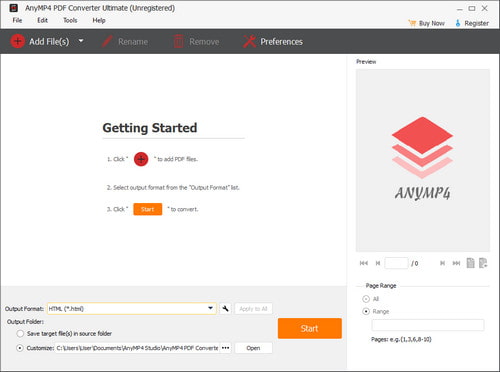
Step 2 Import PDF files
Click "File" button to add PDF files for conversion. You can import as many as 200 files at a time. And then choose the format you want to convert above the pane: PDF to Word, image, HTML or Text.
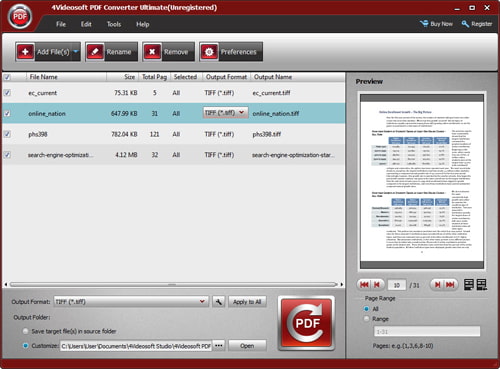
Step 3 Convert PDF with one click
You can customize the special pages you want to convert in the pane and the output setting below the pane. Then just click the "Convert" button and you can convert your PDF files in seconds.

 Free Download
 Free Download


