
This document shows you how to convert video to BlackBerry with BlackBerry Video Converter. First, I will tell you the BlackBerry supporting video formats.
The supporting video format: MP4, AVI, M4A, 3GP, WMV.
The supporting audio format: MP3, WMA, AAC.
So, if you want to put your video on your BlackBerry, the video/audio must be in the above format. Luckily, BlackBerry Video Converter is the excellent software to convert other video to your BlackBerry. Let's go!
What you need?
Software: 3D Converter
OS Supported: Windows 8, Windows 7, Windows XP (SP2 or later), Windows Vista
Hardware Requirements: 800MHz Intel or AMD CPU, or above; 512MB RAM or more
Step 1 Add video files to convert
Double click this BlackBerry Video Converter, then you will see the following screen.
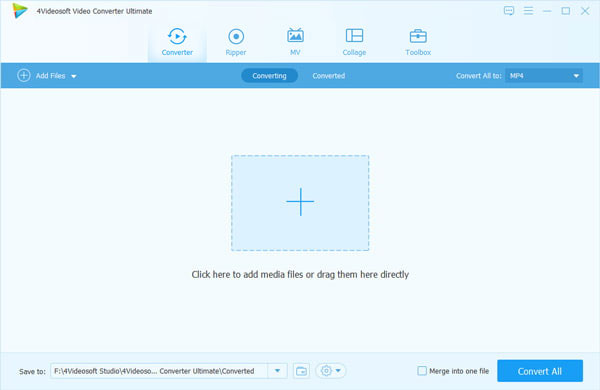
(1) Add: Add the video file
Click "add file" to add you want to convert video files.
The supporting input format including: MPG, MPEG-1, MPEG-2, MPEG-4, MJPEG, VOB, DAT, MP4, DivX, XviD, M4V, TS, MTS, M2TS, RM, RMVB, WMV, ASF, MKV, AVI, 3GP, 3G2, F4V, FLV, SWF, MPV, MOD, TOD, QT, MOV, DV, DIF, MJPG, TP, TRP, WebM, MP3, MP2, AAC, AC3, WAV, WMA, M4A, RA, RAM, OGG, AU, AIF, AIFF, APE, FLAC, CUE.
After you add the file, you would see the following picture.
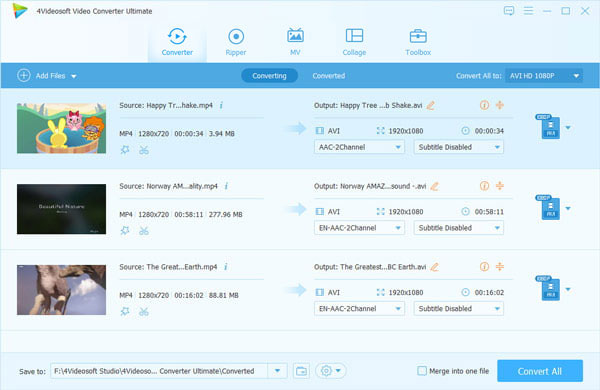
(2) Profile: Choose the output format from the "Profile" Column, find what your player supporting format or the devices.

The output format is also powerful, you can see from the following: MPEG-4, 3GP, MP4, WMV, WebM, MP3, WAV.
(3) Settings: Click "Settings" to open the settings window.
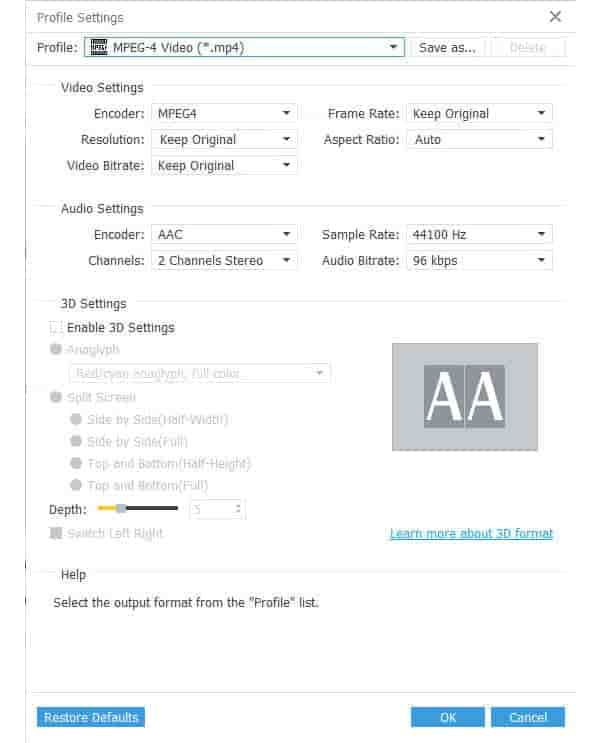
(4) Merge: You also can put you file into one, just click " Merge into one file", that's OK.
(5) Destination: Click the "Browse", you can put the converted file into what you want disk, and in the "Open Folder", you can find the file.
Step 2 Start conversion
Click the "Convert" to convert.

 Free Download
 Free Download


