
You may have been a big fan of iPod and storing a long list of songs on your old iPod. It would be easy to use iTunes to sync music from computer to iPod. However, when it comes to the opposite, copy iPod music to computer, Apple may not offer you a great solution.
In this article, you can learn how to transfer your music from old iPod to computer without iTunes easily.
In order to move your playlist from iPod to computer without iTunes, you may need a great tool to make it easier. Here we would like to introduce you the great iPod to computer music transfer.
iPod to Computer Music Transfer
Step 1 Connect your iPod to iPod to computer transfer
Download the iPod to computer transfer for Windows to your computer and install it. Then open the program and connect your iPod to your Windows computer using the USB cable. Soon the transfer will detect your iPod.
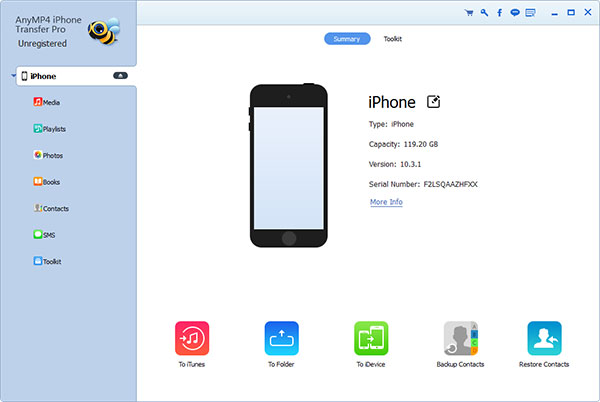
Step 2 Preview iPod music before transferring
Choose "Music" on the left side column and you can see all the iPod music shown up on the detail window. You can preview all the music and playlists on the iPod. Choose all or some songs you want to transfer back to your Windows computer.
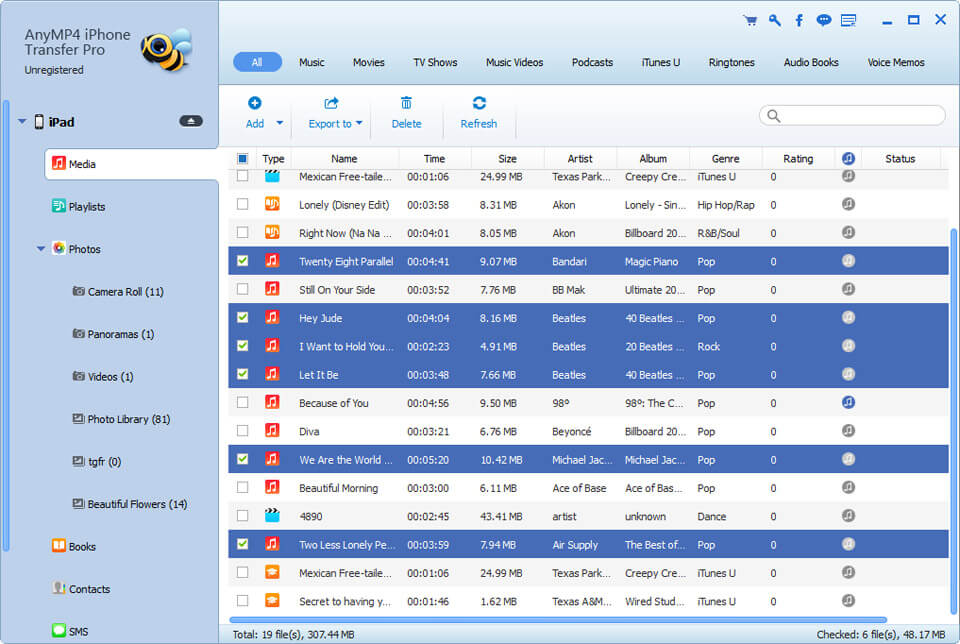
Step 3 Copy iPod music to computer in one click
After choosing the songs you want to transfer to your computer, tap the "to computer" icon from the top of the window and choose a location to save your iPod music. Then all the selected music will start transferring from iPod to computer directly. After copying, you can see the message to notify you the successful transfer and then you can click "Open folder" to check your music on your computer.
If you are using Mac, you can also use the iPod to Mac transfer to move all the music back to your Mac without iTunes.
Step 1 Launch iPhone to Mac Transfer
Download and install the iPhone to Mac Transfer to your Mac. Then open the program and connect your iPod touch to your Mac computer. Remember to tap trust this device if it pops up on your iPod touch.
Step 2 Select iPod music to transfer
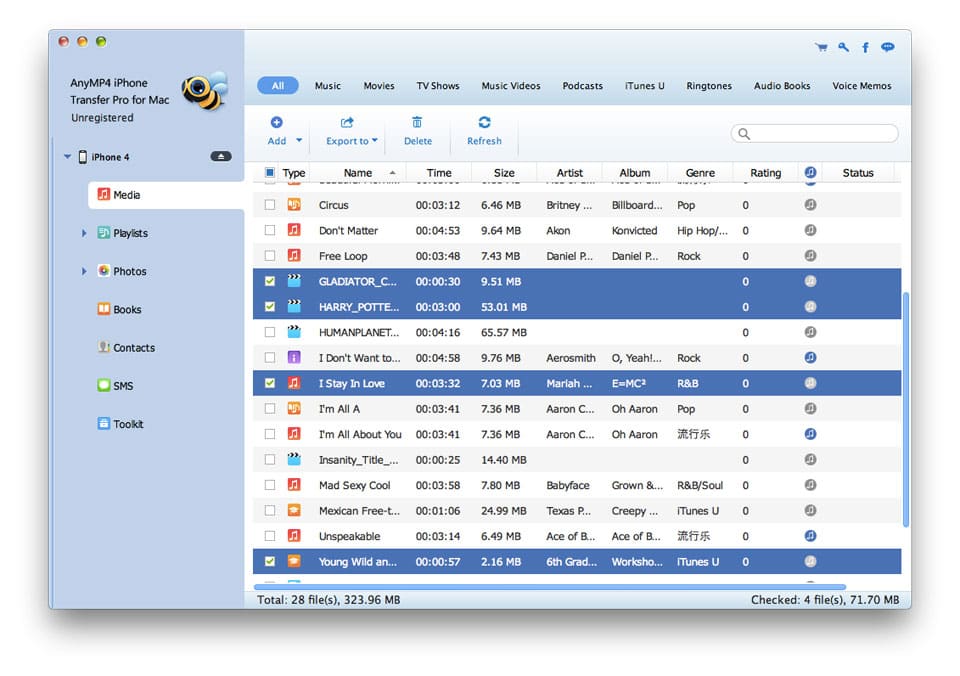
Tap the "Media" option on the left column and go to the "Music" tab on the top of the window. Now you can preview and organize your iPod Touch music with this iPod music transfer. You can even delete unwanted songs from your iPod Touch easily. Select some or all songs you want to transfer to your Mac computer.
Step 3 Copy iPod music to Mac
After selecting, unfold the "Export to" menu on the top of the window. You can either choose "Export to PC/Mac" or "Export to iTunes Library" to copy music to your Mac. If you choose "Export to PC/Mac", a window will pop up to let you decide a location to save iPod Touch music. Then the iPod music will start to transfer to your Mac. Of course, you can also choose "Export to iTunes Library" option to transfer music from iPod to iTunes Music Library on your Mac directly.
With the above simple steps and the easy-to-use iPod music transfer, you can easily transfer your music from iPod to computer no matter you are using Windows or Mac. Just download it and start copying your iPod music to computer without iTunes today!

 Free Download
 Free Download


