
As a professional video conversion tool, HD to MKV converter can perfectly and quickly convert HD to MKV format files along with powerful edit functions. With this HD to MKV program, we can trim video to several segments, crop the video to remover black edges, customize video effect, add watermark, etc. However, this HD to MKV Converter is easy-to-use. With its intuitive interface, we can finish the conversion with a few clicks. After that, you are able to enjoy more pleasure from camcorder.
What you need?
Software: HD Converter
OS Supported: Windows 8, Windows 7, Windows XP (SP2 or later), Windows Vista
Hardware Requirements: 800MHz Intel or AMD CPU, or above; 512MB RAM or more
Step 1 Importing files you want to convert
Free download the powerful and simple-to-use HD to MKV Converter, install and launch until you can see:
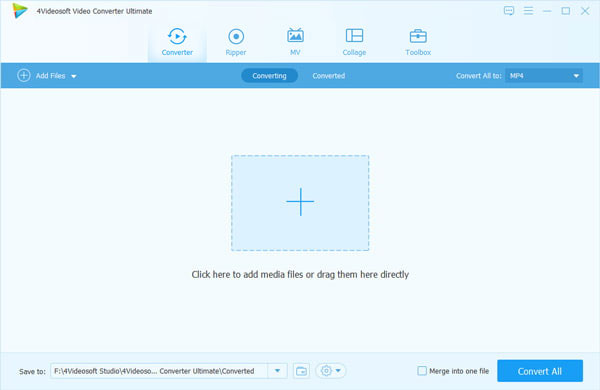
Run the program and click "Add Video" button to select videos. Our software supports most of the popular video formats including HD videos to MKV format.
Note: After add video files, you can preview them. You can also play, stop, pause, take screenshots of the video file via playback panel.
Step 2 Choose output format and folder
Choose one or more files in the file list, and open "Profile" drop-down list to select an output format MKV Video Format for selected files. Select the destination folder in the opened dialog window by clicking "Browse" button.
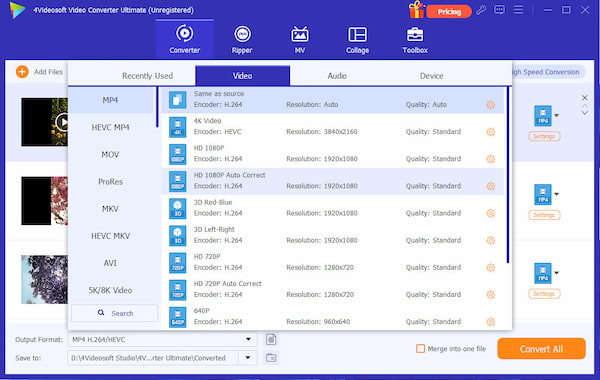
Step 3 Begin to convert HD video to MKV
Click "Convert" on the right bottom corner to start the conversion, and over.
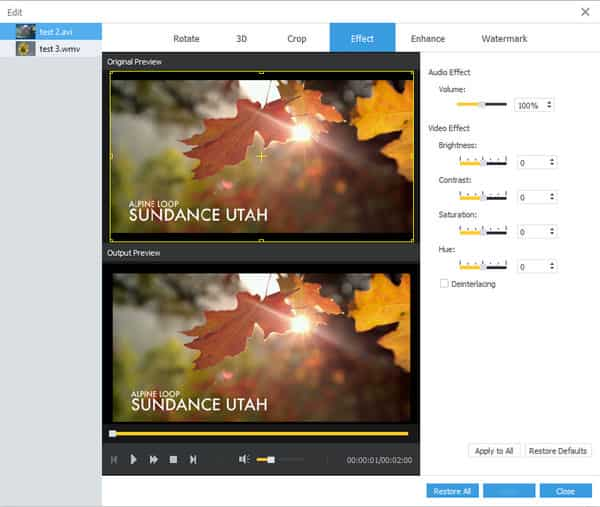
Additionally, this HD to MKV Converter provides extensive ways to customize your videos including Effect, Trim, Crop, Watermark (Text or Image).
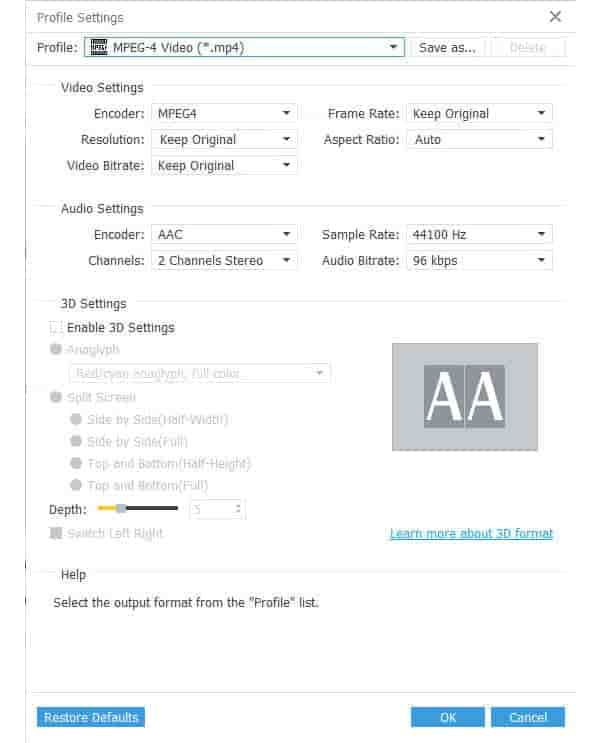
Settings button is for pro users to customize output quality by adjusting video Encoder, Frame Rate, audio Sample Rate etc.
HD to MKV Converter only needs you several clicks to convert HD to MKV and to other video formats as you want, then you can easily enjoy HD videos on portable devices.

 Free Download
 Free Download


