
With perfect output quality and high conversion speed, M2TS to MPG Converter is designed for users to convert M2TS to MPG on windows. This M2TS to MPG conversion program also supports converting M2TS to FLV, AVI, 3GP, MP4, MPEG, and to iPod, iPhone, Apple TV, PSP, various video mobile phones and many other digital video/audio players as well. Meanwhile, having this powerful M2TS converter you can enjoy multiple editing functions.
What you need?
Software: M2TS Converter
OS Supported: Windows 8, Windows 7, Windows XP (SP2 or later), Windows Vista
Hardware Requirements: 800MHz Intel or AMD CPU, or above; 512MB RAM or more
Step 1 Add M2TS files
Download this M2TS converter for free and try to explore more about it...
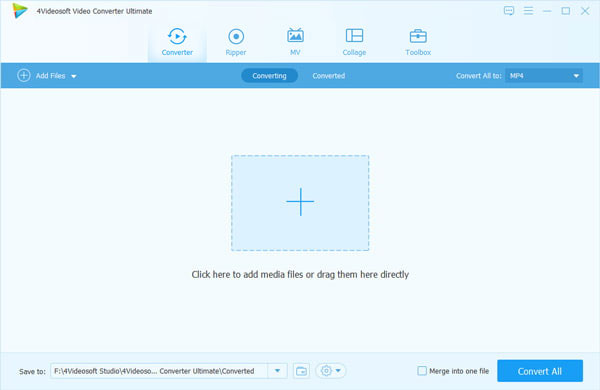
Click "Add File" button to load M2TS files that you want to convert to MPG.
(Note: add multiple M2TS files at the same supported as well.)
Step 2 Choose output format
Click "Profile" drop-down arrow to select an output format as (*.mpg) , and you can select different output format for each video file with m2ts to mpg converter.
Click "Browse" to specify an output path on your computer to save the output m2ts to mpg files.
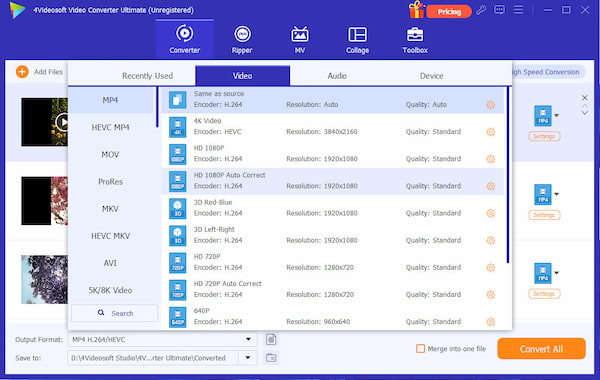
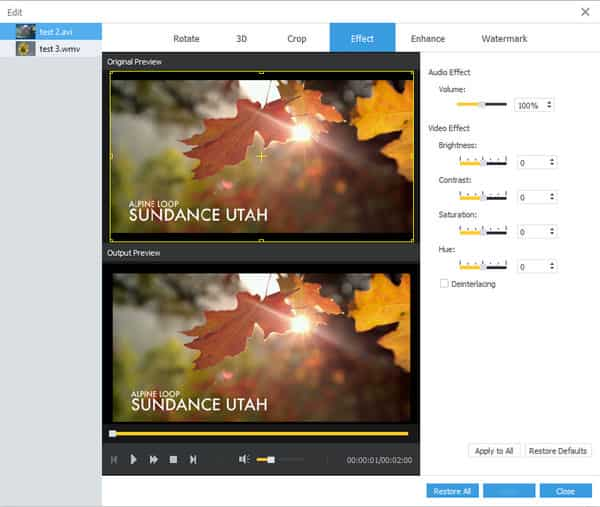
Make full use of editing functions like trim, crop, watermark, effect, properties, etc. Trim you need segment of the video.
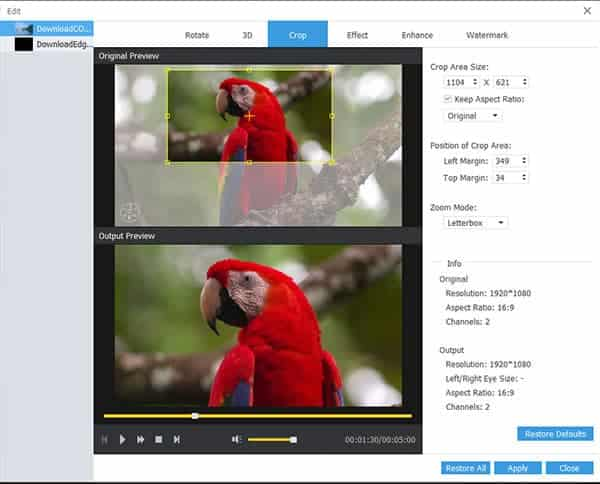
Crop--You can drag the frame in the preview window or set each value to crop your movie video, and the crop frame will move accordingly.
Step 3 Start to convert
The converted MPG files have the same contents and quality as the original M2TS files. You can enjoy them converted by this M2TS to MPG converter.

 Free Download
 Free Download


