
It is known to all that MKV is not the compatible format for iPad.So if we want to import MKV video to iPad, we'd better convert MKV to iPad supported videos such as MP4, MOV, M4V firstly. To put MKV movies to your iPad for enjoyment, this MKV to iPad Converter well capably takes the challenge. This guide will tell you how to convert MKV to iPad videos in an easy manner.
What you need?
Software: MKV Video Converter
OS Supported: Windows 8, Windows 7, Windows XP (SP2 or later), Windows Vista
Hardware Requirements: 800MHz Intel or AMD CPU, or above; 512MB RAM or more
Step 1 Add MKV video from "Add File" button
Free download MKV to iPad Converter online and run it, and you will see one user-friendly interface as follow"
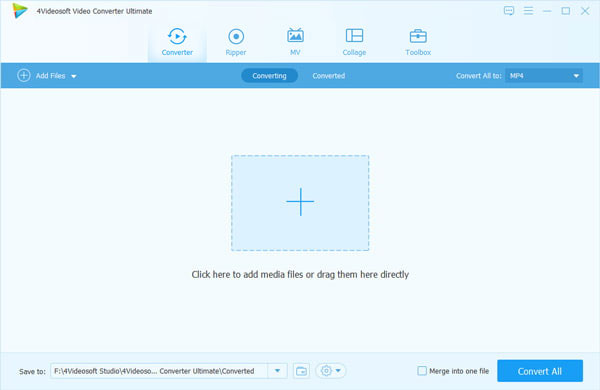
Then you can click the "Add Video" button to add MKV videos to this MKV to iPad Converter.
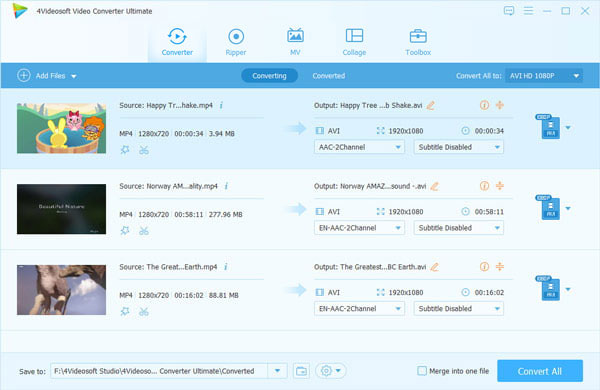
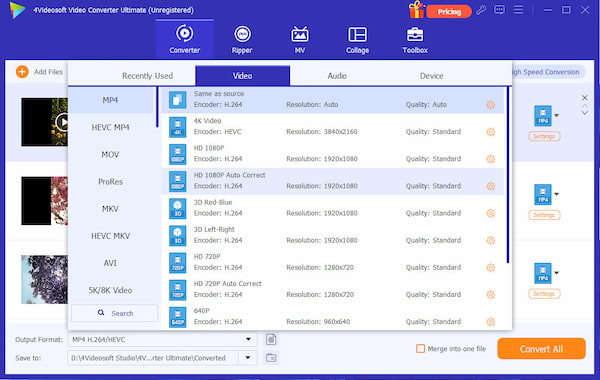
Step 2 Choose output format and destination
Choose iPad compatible format from the drop-down menu of "Profile" and choose the destination for the output video by click "Browse".
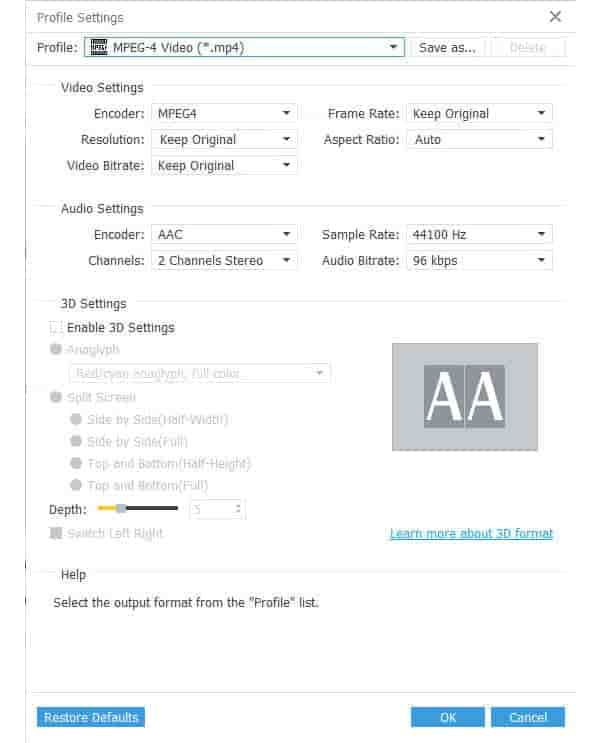
Step 3 Set detailed parameters from "Settings"
Click "Setting" and you can set detailed parameters, like video biterate, audio biterate, sample rate and so on.
Step 4 Convert MKV videos with "Convert" button
Click the "Convert" button to convert MKV videos to iPad compatible format.

 Free Download
 Free Download


