
With more and more video-lovers sharing videos public, to convert videos has become one hot topic. It is also the same case with converting MKV to MPG. To convert videos from MKV to MPG, what you need is one fabulous MKV to MPG Converter. MKV Video Converter is the best MKV to MPG converter, which can convert MKV videos to MPG with fast converting speed and high output quality. In addition, this video converter can also convert MKV to other video formats for entertaining on more portable devices, like iPad. The following is a step-by-step way for users to convert MKV video to MPG.
What you need?
Software: MKV Video Converter
OS Supported: Windows 8, Windows 7, Windows XP (SP2 or later), Windows Vista
Hardware Requirements: 800MHz Intel or AMD CPU, or above; 512MB RAM or more
Step 1 Add MKV videos from "Add Video
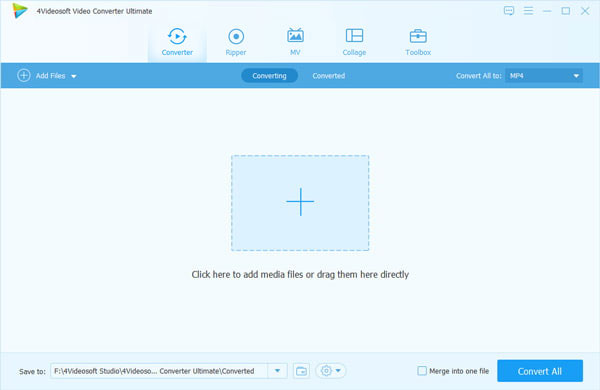
Click "Add Video" button to add MKV videos. It can also be realized by clicking "File" and then add MKV videos.
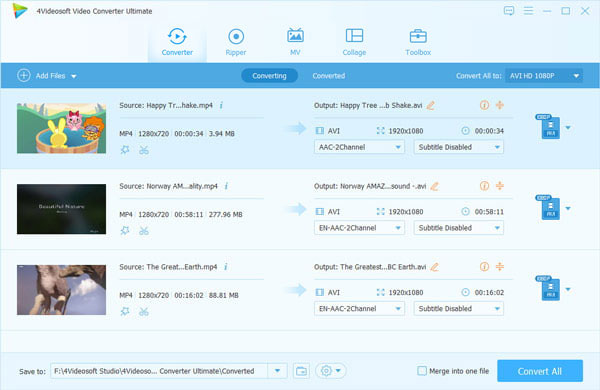
Step 2 Choose output format from "Profile"
Click the drop-down menu of "Profile" and choose MPG as the output format.
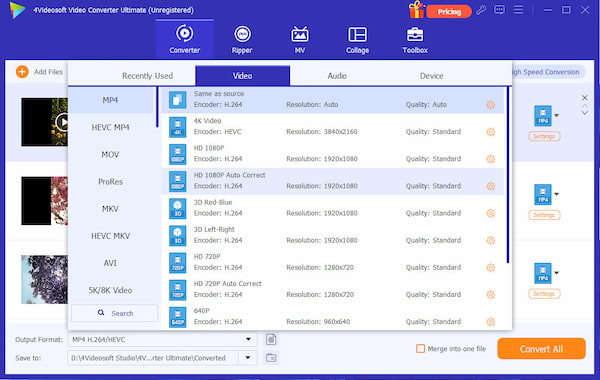
Step 3 Set more detailed parameters from "Settings"
Click "Settings" and the following interface will pop up. You can set video biterate, audio biterate, sample rate, audio biterate and so on.
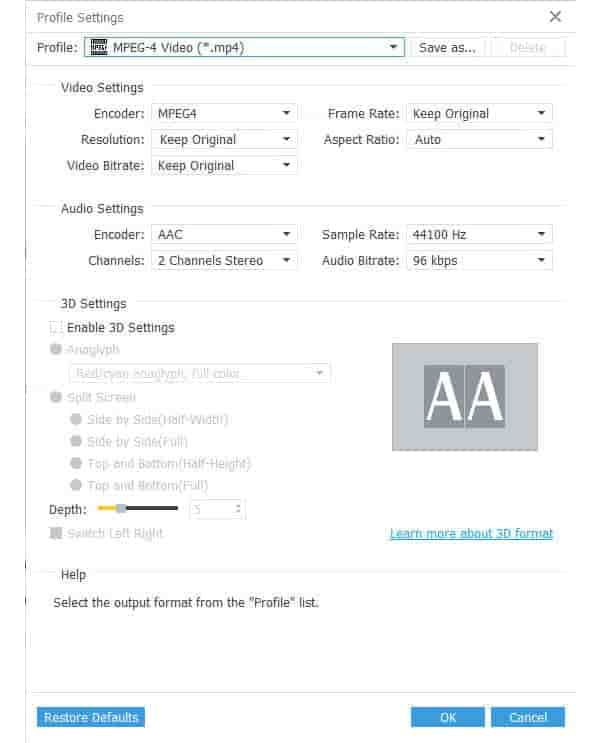
Step 4 Convert MKV videos to MPG by clicking "Convert"
The conversion from MKV to MPG can be realized by clicking the "Convert" button on the right bottom of the software.

 Free Download
 Free Download


