
This VOB to AVI converter is a top rated video converter software which can convert VOB to AVI easily and quickly with excellent image and sound quality. Its conversion speed is above the average. This software can not only convert VOB files to AVI, but also convert other popular video formats between each other.
With an easy-to-use interface, this VOB to AVI converter makes VOB to AVI conversion routine as simple as 1-2-3. After a short conversion process you can enjoy your AVI video file made from a VOB file.
Software: 3D Converter
OS Supported: Windows 8, Windows 7, Windows XP (SP2 or later), Windows Vista
Hardware Requirements: 800MHz Intel or AMD CPU, or above; 512MB RAM or more
Step 1 Import VOB file(s)
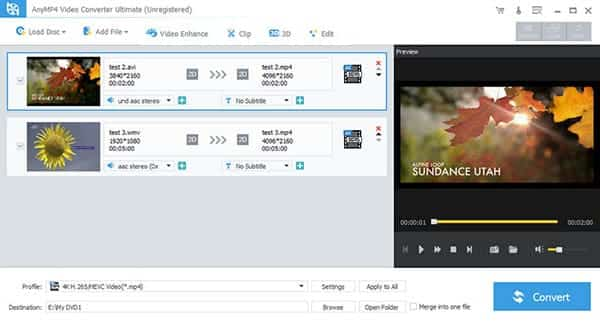
Click "Add File" in the File menu or click Add file on the main interface to import your VOB file(s).
Step 2 Target format and folder
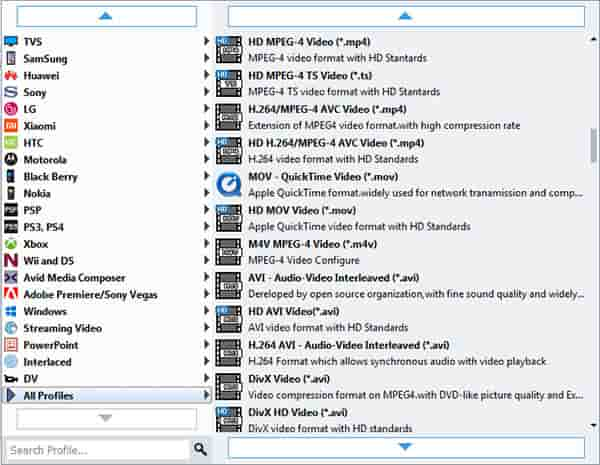
You may select target format - AVI (Audio Video Interlaced) in "Profile" drop down list. And set the output folder in "Destination"
Step 3 Convert VOB to AVIt
After basic steps above, click "Start" and VOB to AVI conversion will be finished within a few seconds.
Such a simple converter designed for your digital life!

 Free Download
 Free Download


