User Review (2)  Go to Mac ->
$31.20 $15.60 50% OFF
iPhone Manager for ePub is especially designed for iPhone users to manager ePub and PDF files. With this iPhone ePub manager software, you can easily transfer ePub/PDF from iPhone to computer can extract computer ePub/PDF to iPhone for reading.
Moreover, the updated iPhone Manager for ePub can transfer ePub/PDF file between iPhone/iPod/iPad and computer, totally supporting newly released iOS 17/16 and iPhone 6s/6s Plus, iPhone 7/7 Plus, iPhone 8/8 Plus, iPhone XS/XS Max, iPhone XR/X, iPhone 11/12/13/14/15.

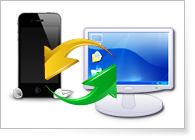
This iPhone Manager for ePub can transfer ePub/PDF file to iPhone easily for you.
This iPhone Manager can also export ePub/PDF files from iPhone to computer for backup.
It is capable for you to transfer ePub/PDF between different iOS devices, like iPhone 15/14/13/12/11, iPhone XS/XS Max, iPhone XR/X, iPhone 8/8 Plus, iPhone 7/7 Plus, iPhone 6s, iPhone 6s Plus, iPhone 6, iPhone 6 Plus, iPhone 5s, iPhone 5c, iPad, iPad Pro, iPad 2, iPod, iPod touch, etc.

This iPhone Manager for ePub can work well on iPhone 15/14/13/12/11, iPhone XS/XS Max, iPhone XR/X, iPhone 8/8 Plus, iPhone 7/7 Plus, iPhone 6s, iPhone 6s Plus, iPhone 6, iPhone 6 Plus, iPhone 5s, iPhone 5c, iPad, iPad Pro, iPad 2, iOS 17/16, iPod touch and other Apple devices.
With this iPhone Manager for ePub, you can easily choose ePub file by the category of Genre, Album and Artist.
The operation is very easy, both for new beginner and experienced person.
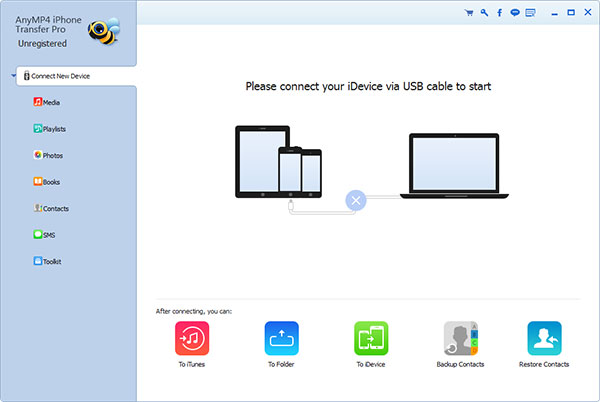
Screenshot
Reviews
Reference
OS Supported: Windows 11, Windows 10, Windows 8/8.1, Windows 7
Hardware Requirements: 800MHz Intel or AMD CPU, or above; 512MB RAM or more
| Support Devices | |
| iPhone 15/15 Plus/15 Pro/15 Pro Max, iPhone 14/14 Plus/14 Pro/14 Pro Max, iPhone 13/13 Pro/13 Pro Max/13 mini, iPhone 12 Pro Max/12 Pro/12/12 mini, iPhone 11 Pro Max/11 Pro/11, iPhone XS/XS Max, iPhone XR/X, iPhone 8/8 Plus, iPhone 7/7 Plus, iPhone 6s, iPhone 6s Plus, iPhone 6, iPhone 6 Plus, iPhone 5S, iPhone 5C, iPhone 5, iPhone 4S, iPhone 4, iPhone 3GS, iPhone iPad Pro, iPad mini 2, iPad Air, iPad mini, iPad with Retina display, the new iPad, iPad 2, iPad 1, iPod touch 7/6/5/4/3/2/1 |
Our Users Are Also Downloading
 Android Data Recovery
Recover deleted contacts, text messages, call log from Android phones on PC.
Free Download Buy Now Video Converter Ultimate
Rip homemade DVD and convert videos to other formats.
Free Download Buy Now