User Review (3)  Go to Mac ->
$31.20 $15.60 50% OFF
iPhone Transfer is the professional iPhone file transfer software to transfer iPhone files, including music, movie, Pictures, Camera Roll, Ringtone, Camera shot files to computer and to transfer computer video, audio, image, etc. to iPhone. The iPhone Transfer Platinum can also transfer TV Shows, Podcast, iTunes U, eBooks, Voice memos, SMS and Contacts for you to enjoy them everywhere you go.

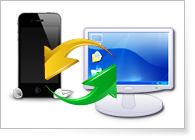
iPhone Transfer makes it easy to backup iPhone files(movies, music, photos, ePub, TV Show, SMS, Contacts, etc.) to computer directly.
It is possible for you to transfer computer images, videos, audios, PDF and other file to iPhone by using this iPhone Transfer.
This iPhone Transfer support transferring files between multiple Apple iOS devices, like iPhone 17/16/15/14/13/12/11, iPhone XS, iPhone XS Max, iPhone XR, iPhone X, iPhone 8/8 Plus, iPhone 7/7 Plus, iPhone 6s/6s Plus, iPhone 6/6 Plus, iPad, iPad Pro, iPad Air, iPod, Apple TV, etc.

iPhone Transfer can help you copy iPhone SMS to computer for backup. You can also delete the unwanted SMS in the backup file.
This iPhone Transfer allows you to backup the Contacts of iPhone easily.
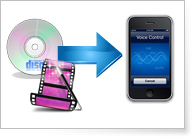
With iPhone Transfer, you can easily convert any DVD and video file to iPhone compatible video and audio formats.
It is convenient for you to optimize the video: trim video length, crop video frame, merge video segments and add video watermark.
You can use this iPhone software to make iPhone M4R ringtone from DVD, video and audio file, and can adjust the ringtone volumes. The ringtone length isn't limited.
This iPhone Transfer can help you store the converted file into My Cache first, then you can transfer it to iPhone for use.

When connecting the iPhone/iPad/iPod to computer, this iPhone Transfer can discern the properties of the device, like type, capacity, version, serial number and format.
This iPhone Transfer software allows you to import .vcf or .csv contacts to iPhone, and you can add and delete iPhone contacts easily.
It highly supports iMessage and Photo Stream function to enrich your iPhone life.
This iPhone Transfer can help you repair device when the iTunes database is damaged.
With the iPhone Transfer, you can easily edit the iPhone ID3 information, including name, artist, album, track number, lyrics, etc.
The "Search" function can help you find the file you want quickly.
This iPhone Transfer is easy to use, and the transfer and convert speed is far beyond your imagination.
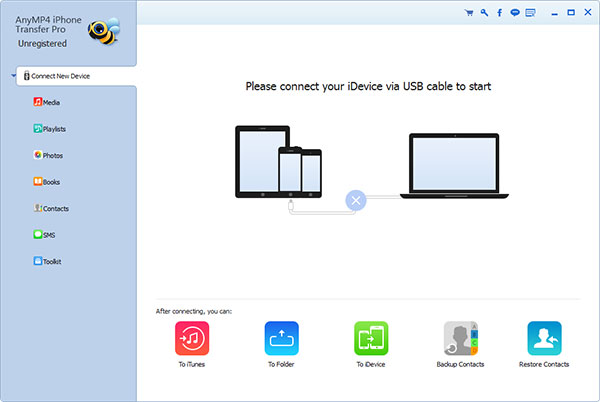
Screenshot
Reference
OS Supported: Windows 11, Windows 10, Windows 8/8.1, Windows 7
Hardware Requirements: 800MHz Intel or AMD CPU, or above; 512MB RAM or more
| Support Devices | |
| iPhone 17/Air/17 Pro/17 Pro Max, iPhone 16/16 Plus/16 Pro/16 Pro Max, iPhone 15/15 Plus/15 Pro/15 Pro Max, iPhone 14/14 Plus/14 Pro/14 Pro Max, iPhone 13/13 Pro/13 Pro Max/13 mini, iPhone 12 Pro Max/12 Pro/12/12 mini, iPhone 11 Pro Max/11 Pro/11, iPhone XS, iPhone XS Max, iPhone XR, iPhone X, iPhone 8/8 Plus, iPhone 7/7 Plus, iPhone 6s, iPhone 6s Plus, iPhone 6, iPhone 6 Plus, iPhone 5S, iPhone 5C, iPhone 5, iPhone 4S, iPhone 4, iPhone 3GS, iPhone iPad Pro, iPad mini 2, iPad Air, iPad mini, iPad with Retina display, the new iPad, iPad 2, iPad 1, iPod touch 7/6/5/4/3/2/1 |
Tutorials & Articles
Our Users Are Also Downloading
 Android Data Recovery
Recover deleted contacts, text messages, call log from Android phones on PC.
Free Download Buy Now Video Converter Ultimate
Rip homemade DVD and convert videos to other formats.
Free Download Buy Now