User Review (5)  Go to Win ->
$31.20 $15.60 50% OFF
DVD Ripper for Mac is one of the best Mac DVD Ripper to rip DVD to vairous video formats like MP4, AVI, WMV, MOV, VOB, MTS, TS, MXF, etc. With this Mac DVD ripper, you are able to play DVD on your iPhone 6/6 Plus, iPhone 7/7 Plus, iPhone 8/8 Plus, iPhone XS/XS Max, iPhone XR/X, iPhone 11/12/13/14/15, iPad Air, Samsung and so on. Besides, this DVD Ripper for Mac also provides users with versatile editing (trim, crop, merge, watermark, effect) functions.
Note: Please DO NOT use our software to rip rental DVDs or back up DVD for commercial use!

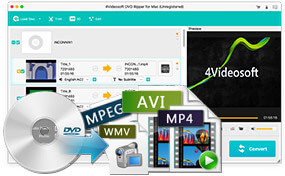
This software is capable of ripping DVDs to any popular video formats: MP4, AVI, MPEG, MOV, WMV, MXF, etc. for you to enjoy the DVD movie on your portable devices.
This Mac DVD Ripper also can convert DVD to all the audio formats, like MP3, AAC, AIFF, ALAC, M4A, WAV, etc.
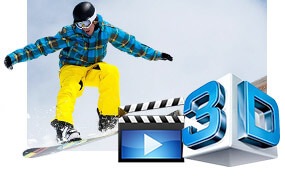
If you want to convert your 2D DVD to 3D and watch on 3D TVs, you can enable the 3D converting function and choose the 3D mode you want. It provides versatile 3D modes, fitting for different 3D devices and glassess.
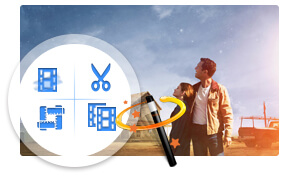
DVD Ripper for Mac can help you adjust video brightness, contrast, saturation and volume to optimize your video effect. You also can eliminate some jaggedness from the interlacing video to improve your video quality.
You can get the specified video length by setting the start time and end time. This DVD Ripper for Mac also enables you to join several DVD chapters into one file for enjoyment.
Cut off the unwanted black edges and adjust the aspect ratio to get the fittest play screen for your player.
Add watermark in the form of text or picture as you like. You are allowed to change the position and transparency of the watermark.
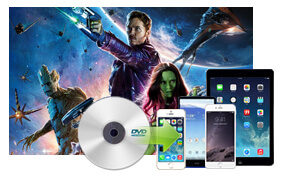
This best Mac DVD Ripper enables you to select the audio track and subtitle for your output video. You can choose output video without subtitle.
This software provides more video and audio parameters for you to choose, including Video Encoder, Resolution, Frame Rate, Video Bitrate and Audio Encoder, Sample Rate, Channels, Audio Bitrate. All settings can be saved as user-defined profile for future use.
You can put the converted video and audio files to any portable devices, such as iPhone, iPad, iPod, PSP, Android devices, BlackBerry, etc. and some applications (iMovie and iTunes).
This application is very easy to operate. Just a few of clicks can finish the whole converting process.
DVD Ripper for Mac provides you with super converting speed, which totally beyond your imagination
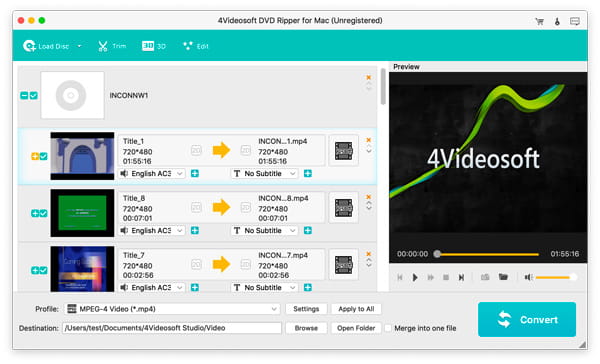
Screenshot
Reviews
Our Users Are Also Downloading
 Video Converter Ultimate for Mac
Rip DVD and convert videos to other formats on Mac.
Free Download Buy Now Blu-ray Player for Mac
Play Blu-ray movies including Blu-ray discs, Blu-ray folder and ISO file on Mac.
Free Download Buy Now DVD Creator for Mac
Provides the best solution to convert any video format to DVD disc, DVD folder and ISO file on Mac.
Free Download Buy Now