
If you want to convert HD to FLV which can be uploaded on the internet for entertainment, this excellent HD to FLV Converter must be your best choice. Having this HD to FLV Converter, sharing your favorite HD files on internet is just a piece of cake. Don't believe it? Free download HD to FLV converter and have a try, and then you will be delighted.
What you need?
Software: HD Converter
OS Supported: Windows 8, Windows 7, Windows XP (SP2 or later), Windows Vista
Hardware Requirements: 800MHz Intel or AMD CPU, or above; 512MB RAM or more
Step 1 Add raw HD files
Download HD Converter to FLV powerful software, install and launch it on your computer:
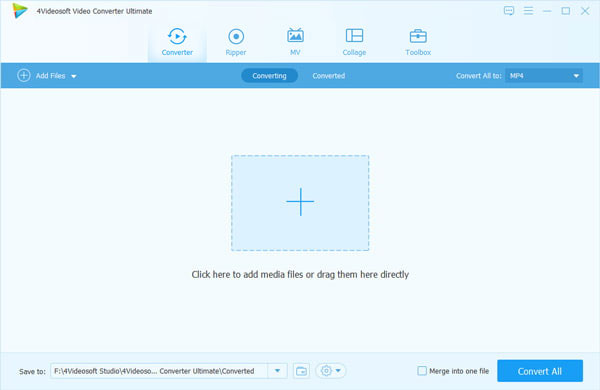
Click "Add Video" to add HD files, more than one a time, it supports loading multiple files.
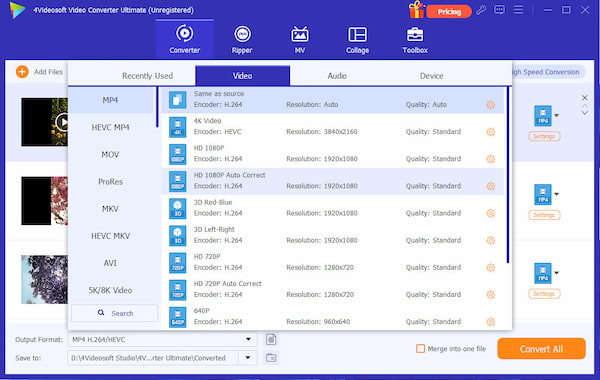
Step 2 Set output for HD files and save
Click Profile drop-down list to set output as FLV - Flash Video Format (*.flv), then click Browse to save converted files at destination place.
Step 3 Convert HD files
Click "Convert" to finish the whole conversion progress. The process bar will show you the conversion process of HD to FLV.
Additional: edit HD files in versatile ways as you like
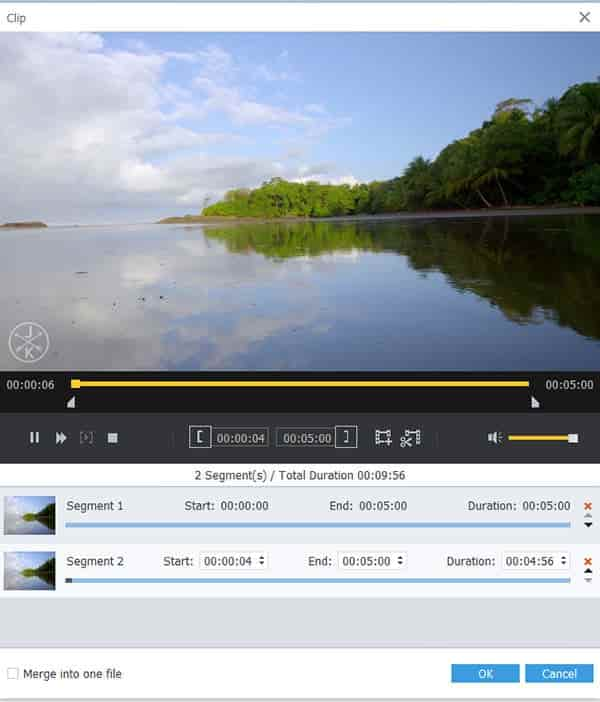
1: Click Trim to set starting time and ending time or just drag the slide bars directly
2: Click Settings to adjust Resolution, Bit Rate, Frame Rate, Encoder and more parameters
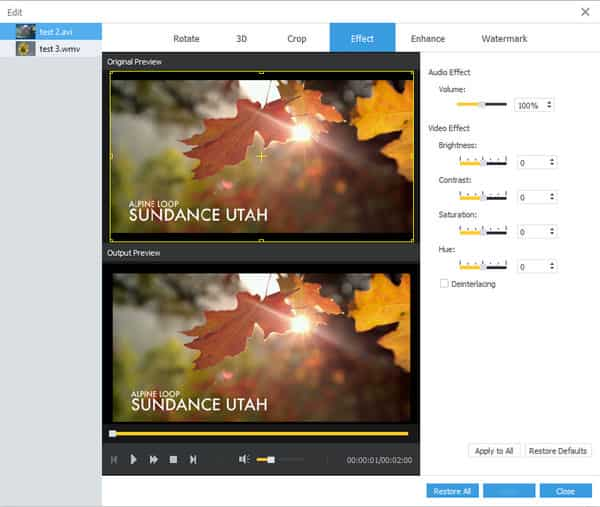
3: Click Effect to adjust the brightness, contrast and saturation, set aspect ratio to remove unwanted black edge through Crop.
4: If you want to join the selected contents into one file you can check the Merge button. Free try this HD to FLV Converter and have an experience.

 Free Download
 Free Download


