
As a professional MKV converting software, MKV to VOB converter is primarily applied to convert MKV to VOB. Besides, it can also be used to convert MKV videos to other format to make it compatible with much portable devices, like iPod, iPhone etc. The words below is an easy step-by-step way to help users to know better about converting MKV to VOB. Only a few clicks can perfectly complete the MKV to VOB converting. Moreover, the user-friendly interface can make it much easier even for beginners.
What you need?
Software: MKV Video Converter
OS Supported: Windows 8, Windows 7, Windows XP (SP2 or later), Windows Vista
Hardware Requirements: 800MHz Intel or AMD CPU, or above; 512MB RAM or more
Step 1 Free Download converter and add MKV videos
Download MKV to VOB Converter free and run it. Then an interface will show up like this:
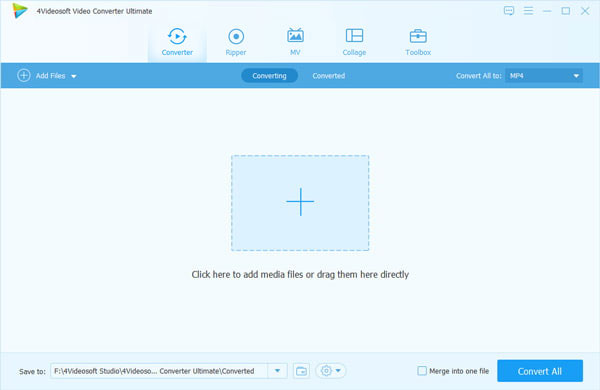
Click "Add Video" button to add MKV videos to it and you can also make it by clicking "File" >> "Add File".
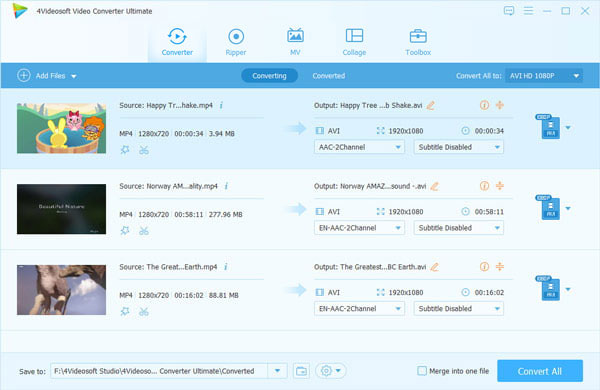
Step 2 Choose VOB format from "Profile"
Choose VOB format from the list of "Profile".
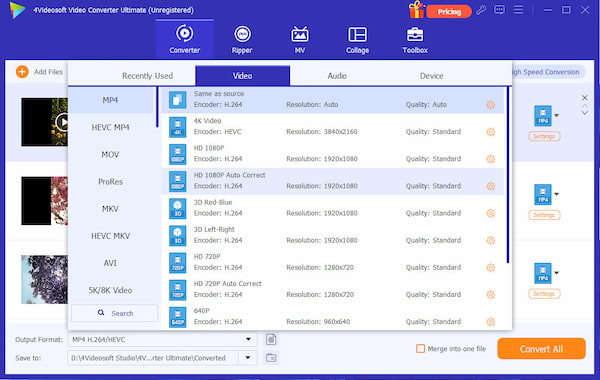
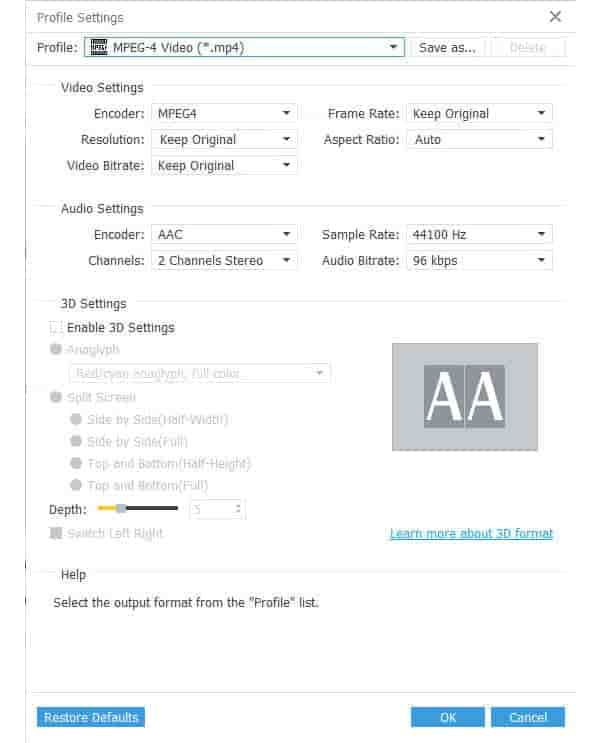
Step 3 Set detailed parameters (Optional)
You can adjust the video bitrate, audio bitrate, sample rate and other detailed parameters by clicking "Settings".
Step 4 Convert MKV to VOB
Click the "Convert" to convert MKV video to VOB format.

 Free Download
 Free Download


