
Want to enjoy your FLV files on your iPhone? Then what you need is to convert FLV to iPhone. But how to convert FLV to iPhone? This guide shows you how to convert FLV to iPhone with iPhone Video Converter conveniently. With this iPhone Video converter, converting FLV to iPhone becomes so easy.
What you need?
Software: iPhone Video Converter
OS Supported: Windows 8, Windows 7, Windows XP (SP2 or later), Windows Vista
Hardware Requirements: 800MHz Intel or AMD CPU, or above; 512MB RAM or more
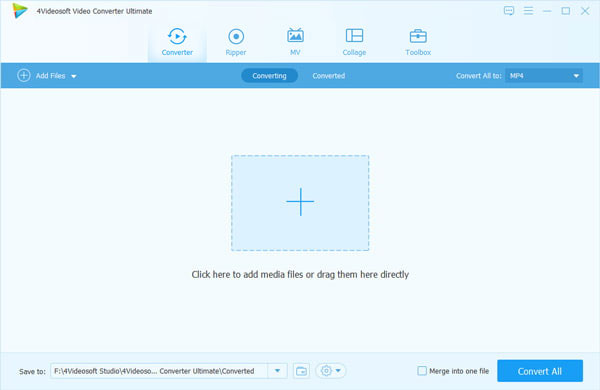
Step 1 Add FLV files to convert
Click "Add File" button to select FLV video files, then the file shall be listed in the screen.
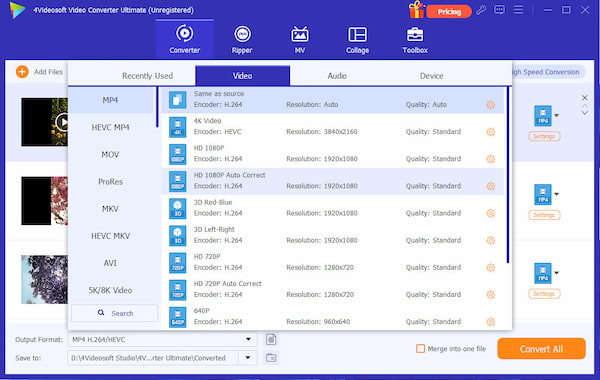
Step 2 Select output formats
You can choose Profile, Destination, Audio Track and Subtitle from this area following:
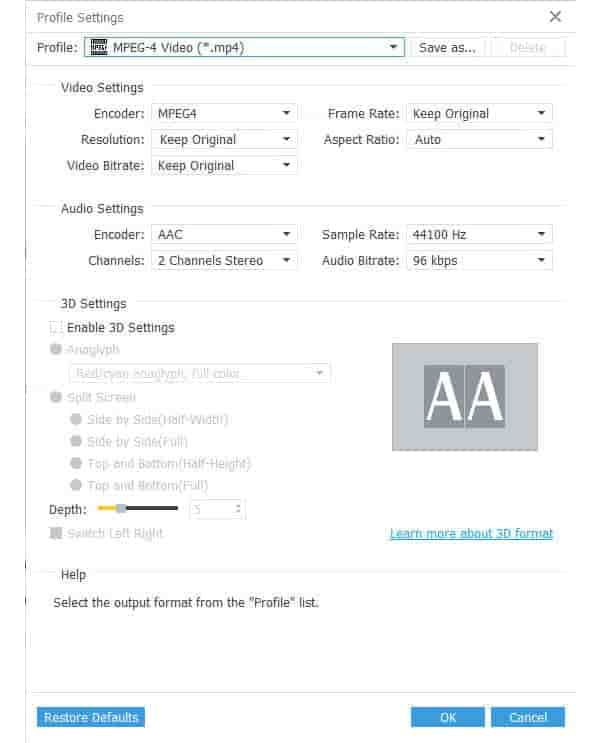
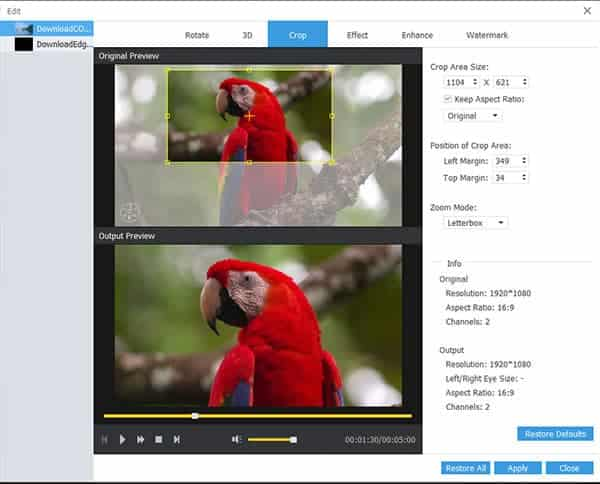
Step 3 Click Settings Edit…buttons to open their windows
Settings:
Crop video files:
Step 4 Start FLV to iPhone conversion
The last step is just click "Convert" to let it work.

 Free Download
 Free Download


