
Honestly, converting ASF to AVI is not a hard task any more. The best way is to find a decent ASF to AVI converter. ASF to AVI converter here will help you easily convert ASF videos to AVI. Besides converting ASF to AVI file, also, ASF to AVI Converter converts ASF to DivX, convert ASF to XviD and enables you to set video and audio parameters, customize output file effect. You can refer to the following guide on how to convert ASF to AVI professionally, easily and quickly.
What you need?
Software: Video Converter Platinum
OS Supported: Windows 8, Windows 7, Windows XP (SP2 or later), Windows Vista
Hardware Requirements: 800MHz Intel or AMD CPU, or above; 512MB RAM or more
Step 1 Load ASF file(s) to program
You need to free download the powerful ASF to AVI Converter which can perfectly and quickly convert ASF to AVI. Launch the program and you can see:
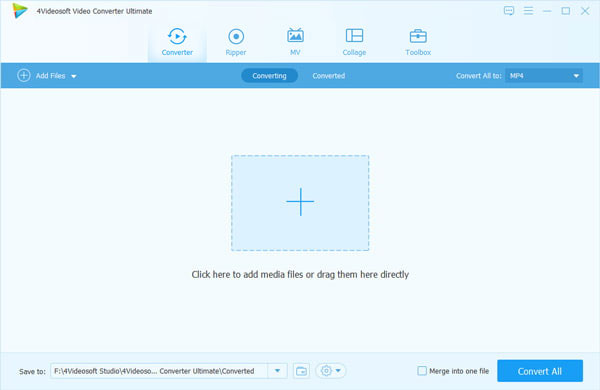
Load ASF files into ASF to AVI converter, multiple files are supported. You are allowed to preview video and shot some pictures.
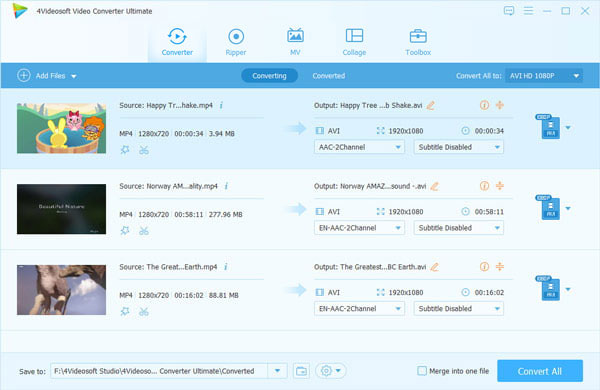
Step 2 Set Profile and Destination
Before converting ASF to AVI, you have to choose "AVI" as output video format in the drop-down menu of Profile option. And you are also required to set an output folder by clicking "Browse".

Step 3 Edit Video
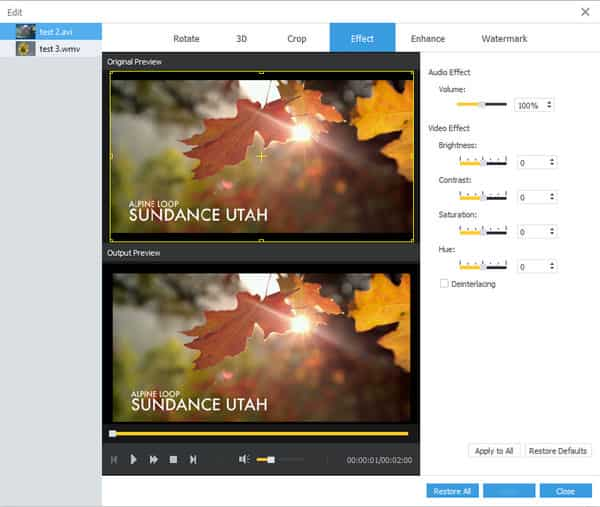
ASF to AVI Converter allows you to edit video effects by trimming, cropping and adjusting video effects. If you are an advanced user, you can also reset its video bitrate, audio bitrate, frame rate and more parameters.
Step 4 Convert ASF to AVI
OK, now we have finished all the preparation. Just click "Start" button to start the ASF to AVI conversion right now, the conversion will take you just a few minutes. Good job! These ASF videos you check have been successfully converted to AVI format with this powerful conversion tool. If you need it, just free download and enjoy it.

 Free Download
 Free Download


