
FLV to AVC Converter is the professional video converter for AVC video using the high technology to convert all popular video formats to AVC such as convert FLV to AVC. It is a perfect solution for you to convert FLV(Flash Video) to AVC with an unparalleled conversion speed with high quality! The well-designed interface of AVC Converter makes FLV to AVC conversion routine quite simple!
What you need?
Software: AVC Converter
OS Supported: Windows 8, Windows 7, Windows XP (SP2 or later), Windows Vista
Hardware Requirements: 800MHz Intel or AMD CPU, or above; 512MB RAM or more
Step 1 Add file
With user-friendly interface, it is an affordable, qualified AVC converter.
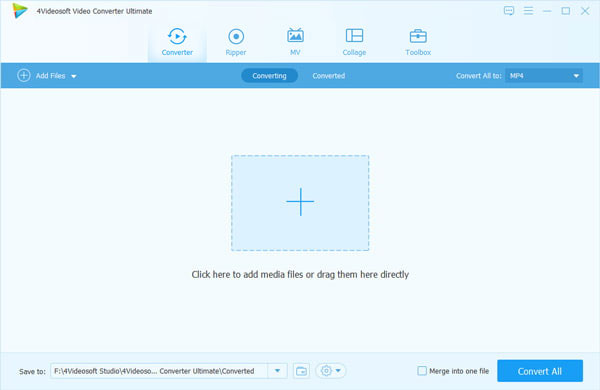
Install and launch, add the video FLV files you'd like to convert by clicking "Add file" in the main interface or in the "File" menu. For convenience, you can preview the loaded files in advance.
Step 2 Choose output format
Click the down-arrow to choose one format as output profile - AVC video. Click "Browse" button to make sure the output folder where the converted videos will be stored.
Step 3 Start FLV to AVC Conversion
So far you have concluded all preparative steps for an FLV to AVC video conversion. Now you may start the video conversion with no suspense.
Editing features, take Watermark for example:
AVC Converter allows you to edit text and image watermark for the output video files.
1. Text watermark features to add Text on your output videos and also set the font family, font size, font color and even adjust its position or transparency.
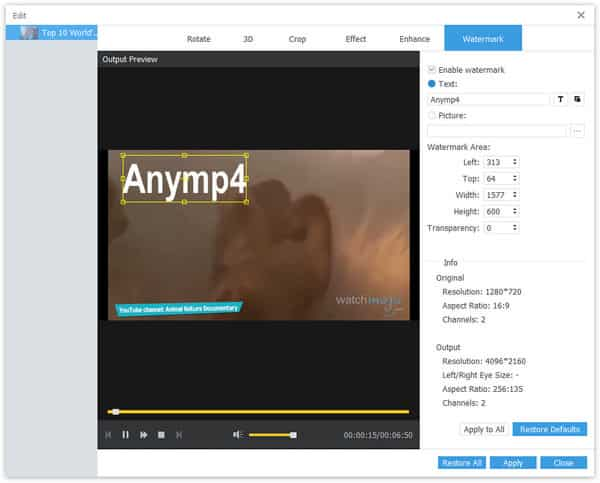
2. Check the small black folder to specify the image you want to use as Watermark and drag it to wherever you want.

 Free Download
 Free Download


