
MKV to DivX Converter is mainly designed to help users to convert MKV to DivX with much easier way. Besides, this fabulous MKV to DivX Converter can serve as MKV Video Converter, which can not only convert MKV videos to DivX, but also convert them to other video formats to enjoy them on portable players like iPad, iPhone, PSP and so on.
What you need?
Software: MKV Video Converter
OS Supported: Windows 8, Windows 7, Windows XP (SP2 or later), Windows Vista
Hardware Requirements: 800MHz Intel or AMD CPU, or above; 512MB RAM or more
Step 1 Add MKV files
Free downloaded MKV to DivX Converter and run it. Then you will see one intuitive interface like that:
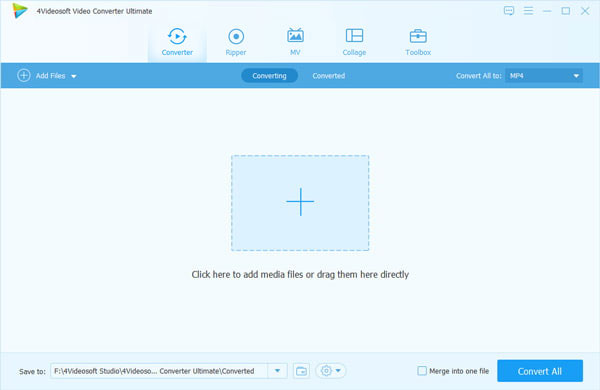
Then you can click "Add File" button to add MKV files, you can preview the video on the right side.
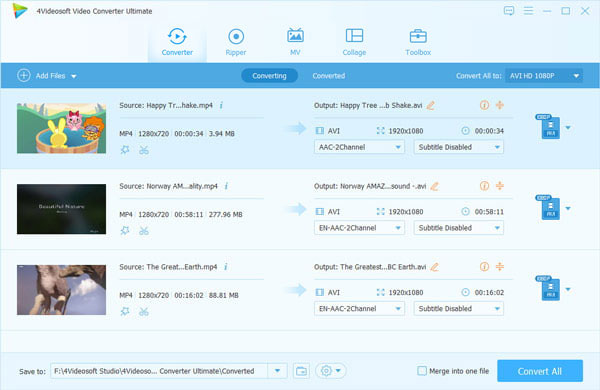
Step 2 Choose output format
Choose what you need output format - DivX under Profile; "Browse" button.
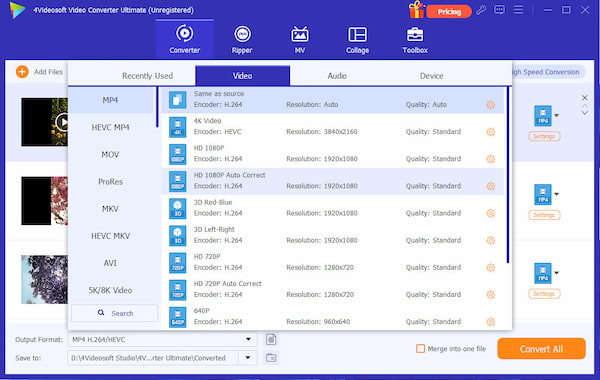
Step 3 Set detailed parameters
For better enjoyment, you can adjust the video brightness, contrast, saturation, volume, hue, time-length, play screen, etc.
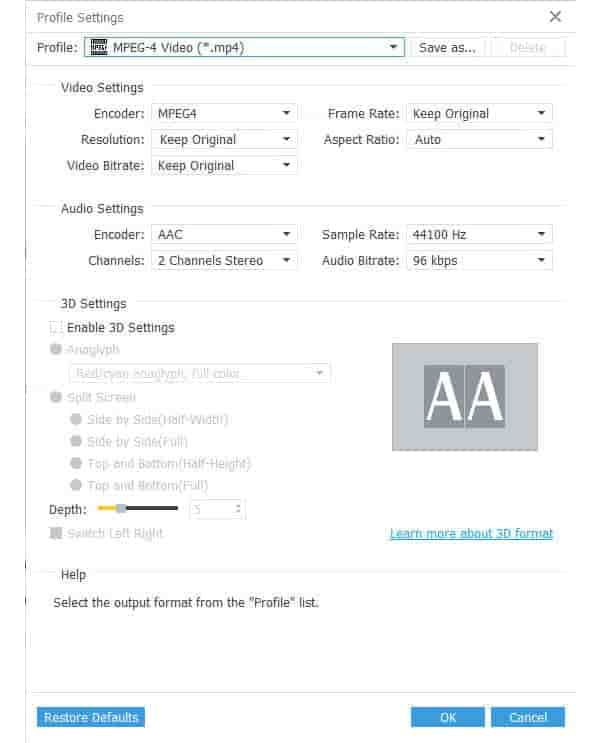
Step 4 Conversion
Click the "Convert" button to convert MKV videos to DivX.

 Free Download
 Free Download


