
TS Converter is a professional TS file conversion tool which can convert TS files to almost all the other popular video formats with super fast speed and the output quality is great without any loss of quality. Its simple and easy-to-use interface makes TS file conversion routine as easy as ABC and makes your conversion task TS to AVI, TS to 3GP, TS to WMV, TS to FLV a breeze.
No matter you are a veteran or beginner, you can customize video settings according to output formats at will when the TS video format conversion is in progress.
Software: 3D Converter
OS Supported: Windows 8, Windows 7, Windows XP (SP2 or later), Windows Vista
Hardware Requirements: 800MHz Intel or AMD CPU, or above; 512MB RAM or more
Step 1 Load TS video
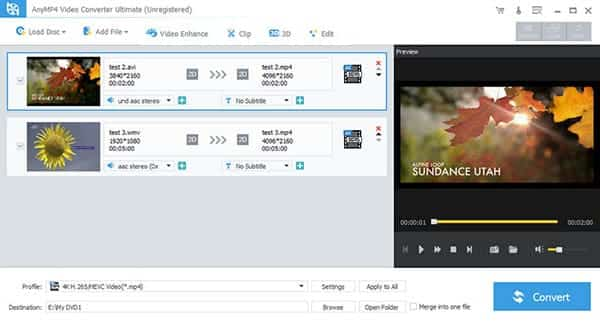
Click "Add Video" button to add TS files, more than one a time, it supports loading multiple files.
Step 2 Set output for TS files and save
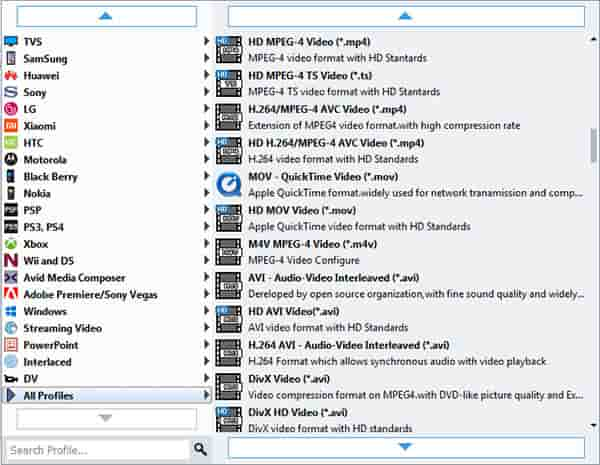
Click Profile drop-down list to set output format, then click Browse to save converted files at destination place..
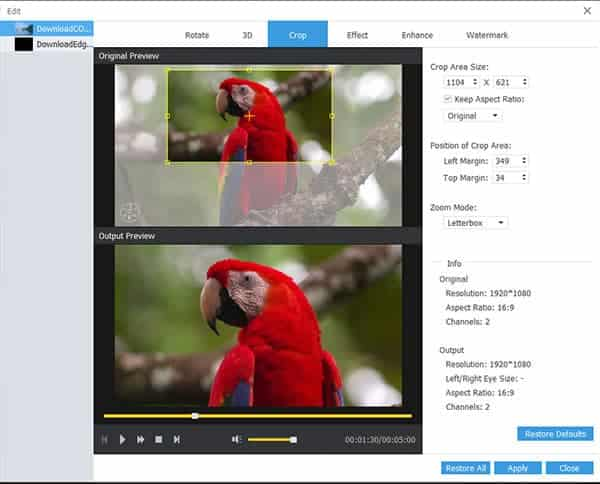
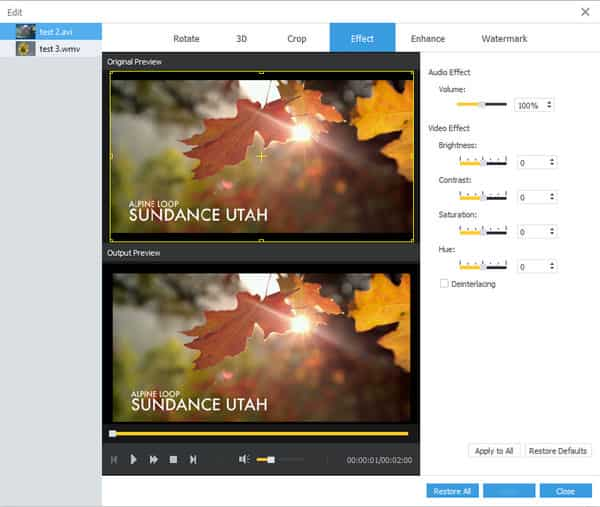
Click "Effect" to adjust the video effects, trim for a video clip and crop for a proper video dimension. What's more, you can add text or image watermark to personalize your videos specially.
Step 3 Convert TS to Video
Click "Convert" button to finish the whole conversion progress, then import ripe TS files to your players for enjoyments.
Additional: edit TS files in versatile ways
1. Trim: set starting time and ending time or just drag the slide bars directly.
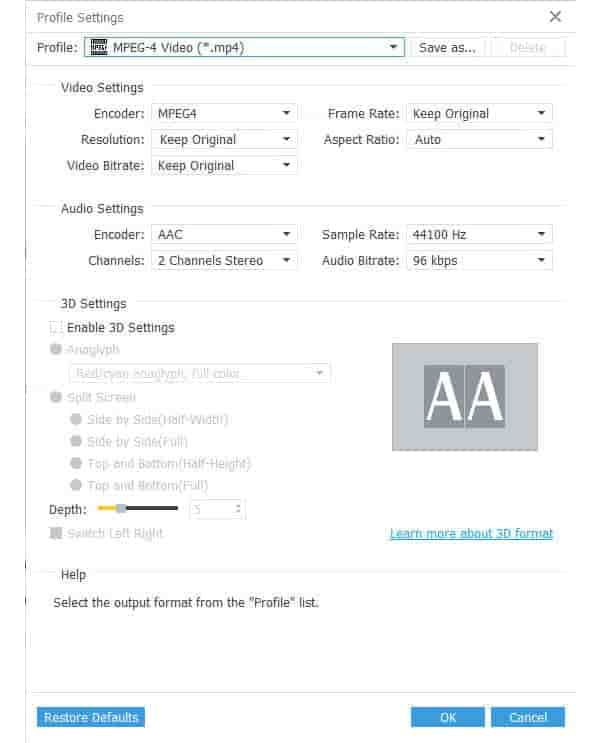
2. Click Settings to adjust Resolution, Bit Rate, Frame Rate, Encoder and more parameters
3. Click Effect to adjust the brightness, contrast and saturation, set aspect ratio to remove unwanted black edge through Crop.
4: Check different properties here:

 Free Download
 Free Download


