
TS to AVI converter is a professional TS conversion software for users which can convert TS to AVI - Audio video interleaved (*.avi), or DivX Movie (*.avi) or XviD Movie (*.avi) with perfect quality and fast conversion speed. However, this TS to AVI converter is very easy-to-use. With its friendly interface, we can finish the whole conversion from MTS to AVI and other popular formats in just 3 steps.
No matter you are a veteran or beginner, you can customize video settings according to output formats at will when the TS video format conversion is in progress.
Software: 3D Converter
OS Supported: Windows 8, Windows 7, Windows XP (SP2 or later), Windows Vista
Hardware Requirements: 800MHz Intel or AMD CPU, or above; 512MB RAM or more
Step 1 Load TS video
Click "Add Video" button to import your TS files, then they can be listed in the program, you can change the order and remove what you do not want to convert
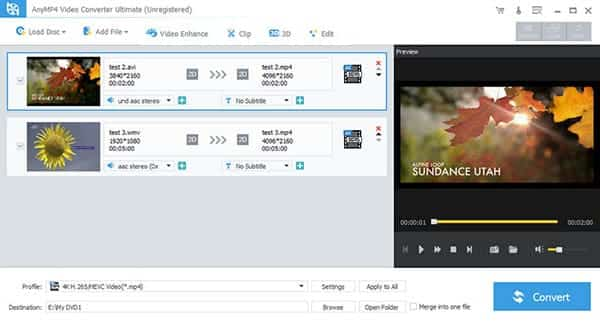
Step 2 Select TS output format and save
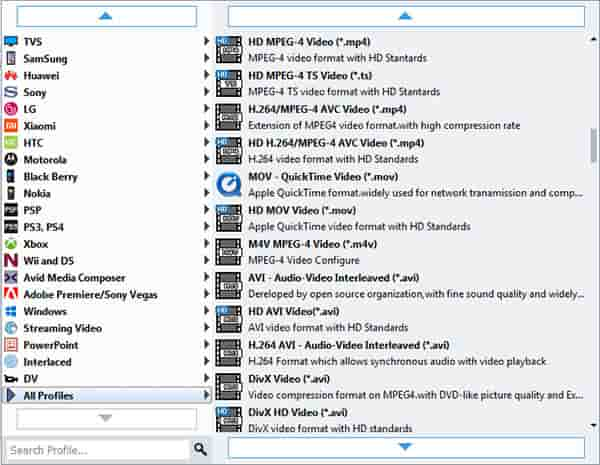
Click Profile drop-down list to set output as AVI, then click Browse to save converted files at destination place.
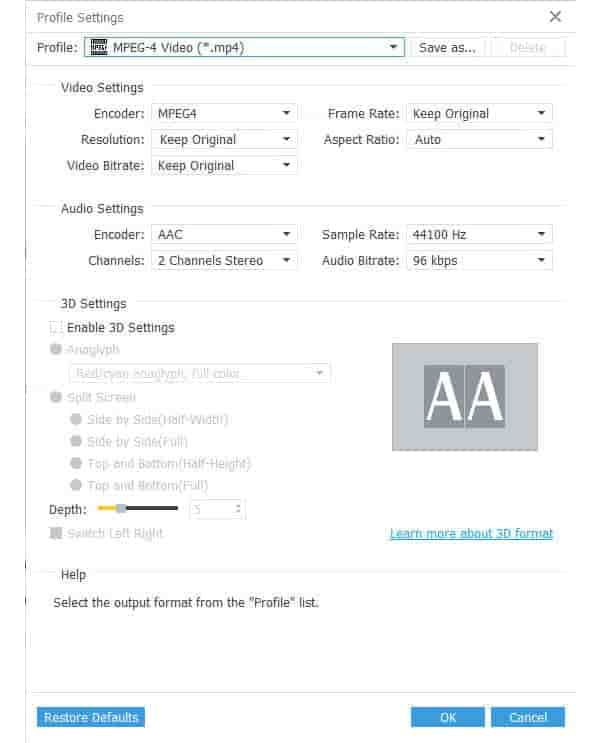
Moreover, advanced settings are provided to satisfy some users' special requirements.
Step 3 Convert TS files
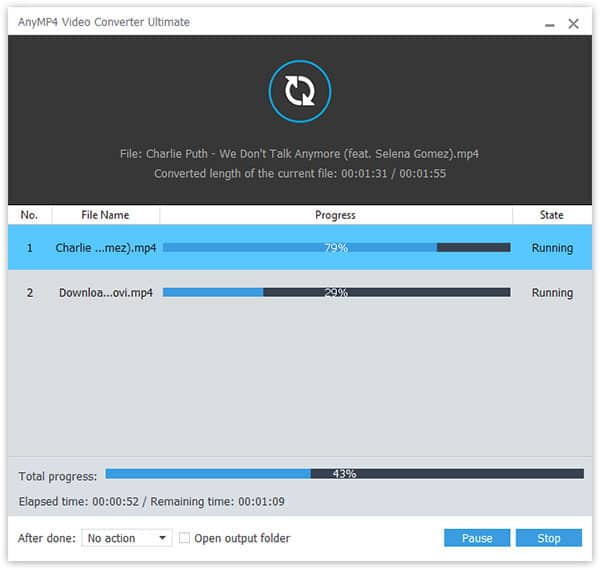
You are allowed to convert TS to AVI by clicking "Convert" button. All the tasks of conversion will be finished at fast speed and high output quality!
Note: the process bar will show you the conversion process of TS to video conversion.

 Free Download
 Free Download


