User Review (5)  Go to Win ->
$62.45 $49.96 20% OFF
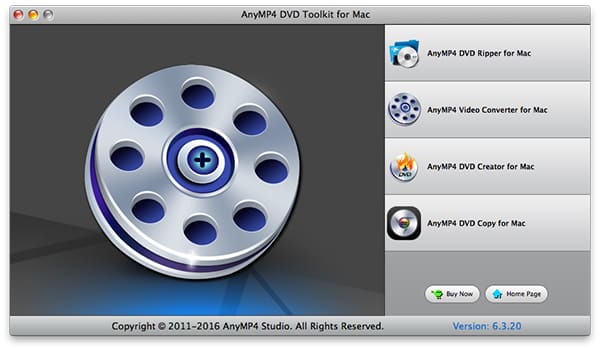
DVD Converter Pack for Mac is one outstanding Mac DVD/video Converter for Mac users, which is packed with DVD Ripper for Mac, DVD Copy for Mac, DVD Creator for Mac, and Video Converter for Mac. With this Mac DVD/Video Converter Pack, you can easily convert DVD and video files to you want video and audio formats.
Besides, it allows you to set output video effect, trim and crop DVD video, merge several DVD chapters into one, and add text or picture watermark.

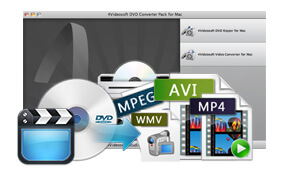
The DVD Converter Pack for Mac assists you to convert homemade DVD movies to the video formats you want with best quality.
This DVD Converter Pack for Mac can also convert between videos and audios, and extract audios from video files.

DVD Converter Pack for Mac helps you adjust the video brightness, contrast and saturation for you to get the optimized video.
It allows you to trim video length by setting the start time and end time. You can also cut off the unwanted black edges with "Crop" function.
Merge several DVD/video clips into one file for you to enjoy them successively. If you like, you can add text or image watermark for your video.
This DVD Converter Pack for Mac enables you to choose the audio track and subtitle you want for your video, or you can choose no subtitle based on your needs.
You can choose Video Encoder, Resolution, Frame Rate, Video Bitrate and Audio Encoder, Sample Rate, Channels, Audio Bitrate. You also can input your own Video Resolution. All these setting can be saved as user-defined profile.
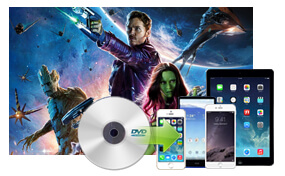
You can enjoy the converted videos and audios can be put into iPhone, iPad, iPod, Google Phone and other main stream devices.

The DVD Converter Pack for Mac helps you convert DVD and video with fast conversion speed and high output quality, which makes your conversion smooth and efficient.
This Mac DVD Converter Pack provides you with intuitive and use-friendly interface. You can do any operation only by clicking the clearly designed buttons.
Screenshot
Reviews
Tutorials & Articles
Our Users Are Also Downloading
 Video Converter Ultimate for Mac
Rip homemade DVD and convert videos to other formats on Mac.
Free Download Buy Now DVD Creator for Mac
Provides the best solution to convert any video format to DVD disc, DVD folder and ISO file on Mac.
Free Download Buy Now Blu-ray Player for Mac
Play Blu-ray movies including Blu-ray discs, Blu-ray folder and ISO file on Mac.
Free Download Buy Now