
How to edit PDF files without purchasing an expensive PDF editor? How to extract text/images from PDF files? What you need is a PDF to Word Converter.
PDF to Word Converter is such a desktop document conversion tool to convert Adobe PDF file to Microsoft Word Doc file - and it's totally for FREE! The program can extract text, images, shapes from PDF file to Word Doc file and preserve the layout. It can convert all the pages, or any pages range of the PDF file. This PDF to Word Converter supports Microsoft Office 2010, 2007, 2003.
Step 1 Launch the program
Download PDF to Word Converter and install it on your PC. Double click the quick launch icon to start the program.
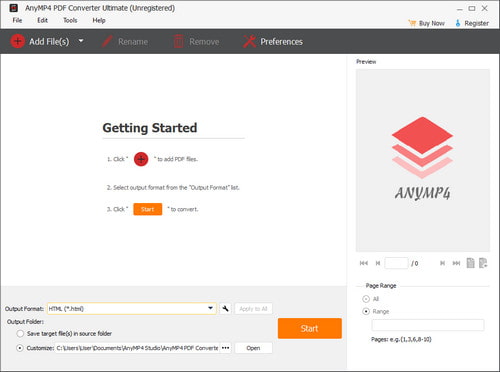
Step 2 Import PDF files
Click "File" button to add PDF files for conversion, you can import as many as 200 files at a time.
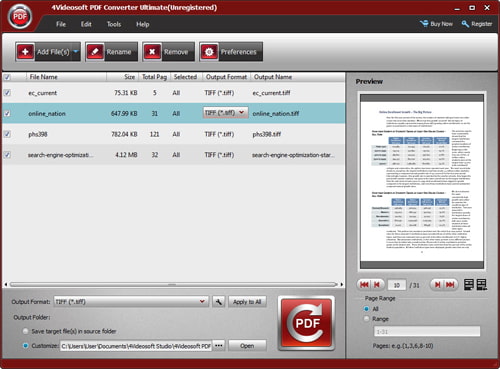
Step 3 Convert PDF with one click
You can customize the special pages you want to convert in the pane and the output setting below the pane. Then just click the Convert button and you can convert your PDF files to Word documents in seconds.
After conversion, you can view the converted files directly via the links in the conversion pane or click Open button below the pane to check the file in the destination folder.

 Free Download
 Free Download


