
MPEG2 is the standard video compression format that is used in digital broadcasts and DVD movies. To convert your video from MPEG2 to AVC format, you need one professional one AVC Converter. MPEG2 to AVC Converter is so striking that it is not only able to convert video from MPEG2 to AVC, but also convert other video formats to AVC. What's more, owning so many editing functions to adjust output video effect, this MPEG2 to AVC Converter is bound to be your best choice to convert video to AVC.
What you need?
Software: AVC Converter
OS Supported: Windows 8, Windows 7, Windows XP (SP2 or later), Windows Vista
Hardware Requirements: 800MHz Intel or AMD CPU, or above; 512MB RAM or more
Step 1 Add MPEG2 files from "Add Video"
Launch and run MPEG2 to AVC Converter, and you will such an interface:
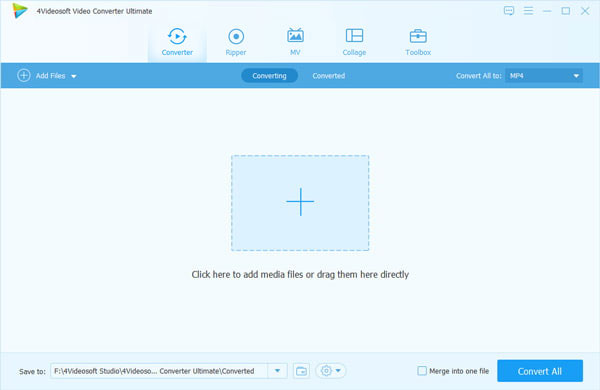
Click "Add Video" button to add MPEG2 video to the MPEG2 to AVC Converter.
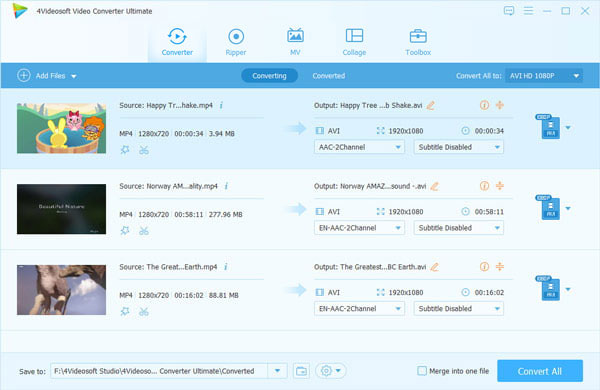
Step 2 Choose output format from "Profile"
Choose AVC as the output format from "Profile". You can also choose the destination for the output video by "Browse".
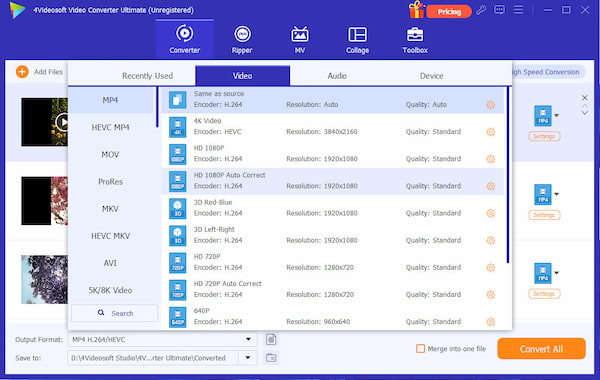
Step 3 Convert MPEG2 video to AVC with "Convert"
Click the "Convert" button to convert MPEG2 video to AVC format.

 Free Download
 Free Download


