
MTS to PSP Converter is an excellent converter for users to convert MTS to PSP video H.264 (*.mp4) with perfect quality and fast conversion speed. However, MTS to PSP Converter is very easy-to-use. It has a friendly interface which can help us finish the whole conversion with a few clicks. Do you want to enjoy MTS on PSP rather than to buy a special player? Just free download MTS to PSP Converter and have a try.
What you need?
Software: MTS Converter
OS Supported: Windows 8, Windows 7, Windows XP (SP2 or later), Windows Vista
Hardware Requirements: 800MHz Intel or AMD CPU, or above; 512MB RAM or more
Step 1 Add video files
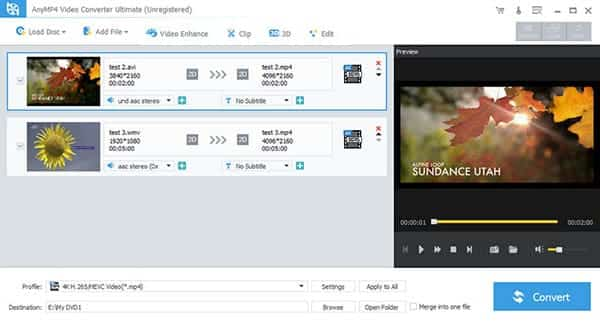
After launch MTS to PSP Converter, you can add your MTS video to it and preview any video you want by double clicking the video itself and it will display in the right preview window.
Step 2 Choose format and folder for output video
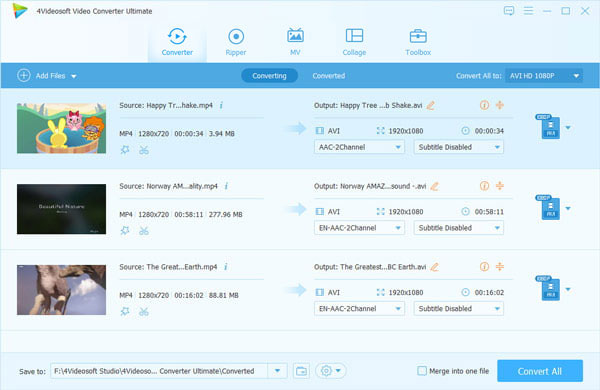
From the drop-down menu of "Profile" you can choose one format that PSP supported. Should you store the converted video into another place, just change the output path by "Browse".
Step 3 Set detailed parameters or edit video
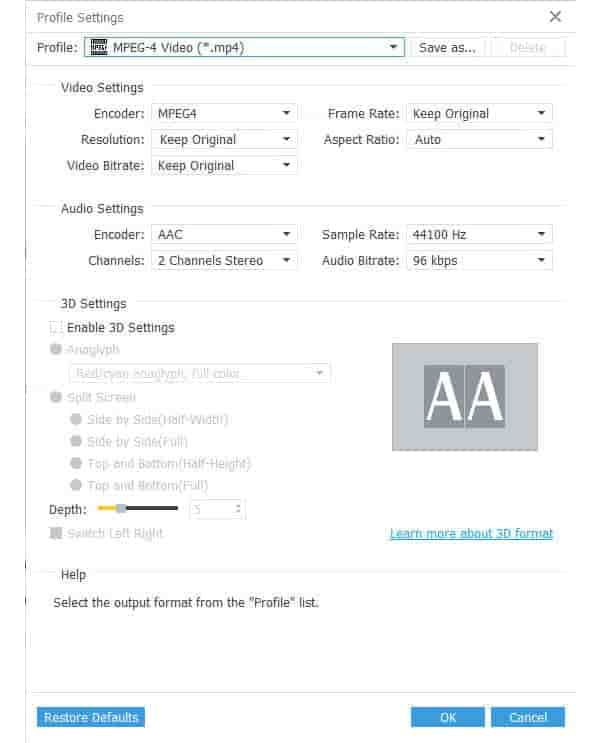
you can adjust the video brightness, contrast, saturation, volume, hue by clicking the "Effect" icon, change time-length by clicking "Trim", crop play screen by clicking "Crop", etc. Besides, you can also set detailed parameters as you like, such as Video/Audio Bitrate, Sample Rate, Channels, Resolution and so on.
Step 4 Convert videos
When all the needed settings is finished, you can click "Convert" button to these MTS videos to PSP.

 Free Download
 Free Download


