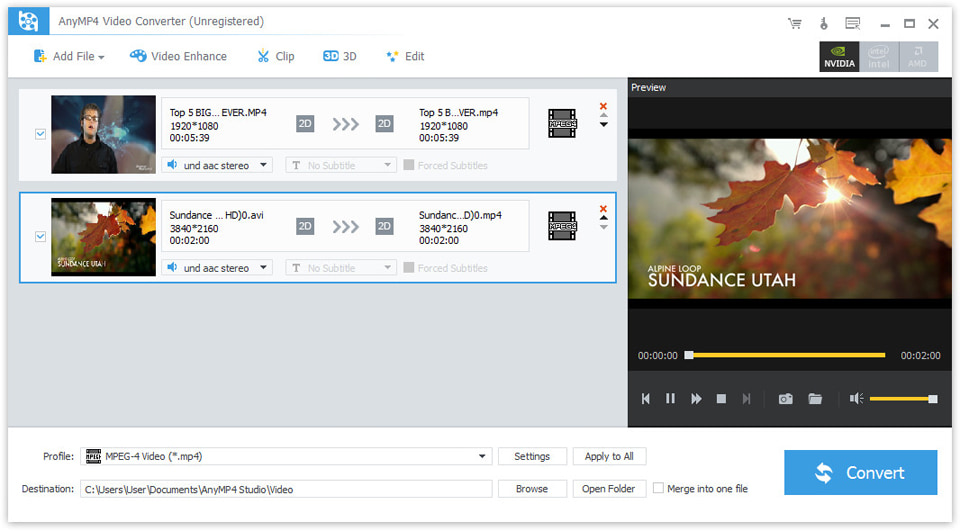
4Videosoft 3GP Video Converter
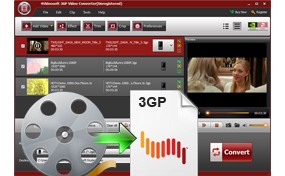
4Videosoft 3GP Video Converter is highly easy-to-use 3GP Converter. No other 3GP Video Converter can support so many formats including MPG, MPEG, MPEG2, MP4, H.264, SWF, VOB, MOD, M4V, QuickTime Video, WMV, MOV, DivX, XviD, DV, MJPG, MJPEG, MPV, FLV, AVI,etc, to 3GP, 3G2, MP4, AVI video, and AAC, MP3, AMR, M4A, WAV, WMA audio for all the brand-new phones: BlackBerry, Google Phone, Nokia, Motorola, Samsung, etc.
With various settings and powerful editing functions, 4Videosoft 3GP Video Converter is really valuable. More specific encoding parameters are available for you to get the perfect playing effect. It can also allow you to trim video, crop video, join video, watermark video and take snapshot.
* Convert any video formats to 3GP, 3G2, MP4, AVI video
* Convert any audio formats or take out audio from video to AAC, MP3, AMR, M4A, WAV, WMA audio
* The converted files can be viewed on most of the cell phone
Size: 7.32MB Version: 3.3.08 Support OS: Windows XP/2000/Vista/Windows 7
- Key Functions
- Convert all the popular video to 3GP, 3G2
4Videosoft 3GP Video Converter can convert all the regular formats, such as MPG, MPEG, MPEG2, MP4, H.264, SWF, VOB, MOD, M4V, QuickTime Video, WMV, MOV, DivX, XviD,DV, MJPG, MJPEG, MPV, FLV, AVI,etc, to 3GP, 3G2, MP4, AVI video
- Audio extractor and audio converter
This 3GP Converter enables you convert audio or extract audio from videos to AAC, MP3, AMR, M4A, WAV, WMA audio for your music listening.
- Video Splitter
4Videosoft 3GP Video Converter allows you to get any clips from your video sources. You can get it by set the exact time or just drag the slider bar.
- Video Cropper
4Videosoft 3GP Video Converter allows you to crop video and adjust the output aspect ratio to get the perfect playing effect.
- Video Joiner
Merge your selected video sources into one file after conversion for you to enjoy successively.
- Support preview and adjust video effect
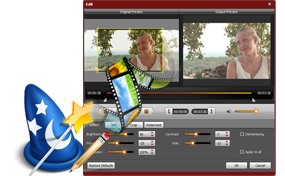
You can preview the original video and output video effect at the same time and adjust the video effects by modifying the video Contrast, Brightness, Saturation.
- Convert to one or more output formats
Support converting source file(s) to more than one format respectively. If you want to output file only in 3GP just click Apply to all.
- Key Features
- Easy to use
4Videosoft 3GP Video Converter is absolutely easy to use. The whole process of conversion can be finished in few clicks.
- Set all the parameters
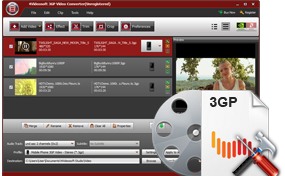
All the parameters of profile can be provided for you to choose the exact settings for your players with the assistance of 3GP Video Converter.
Adjust Video Settings: Encoder, Resolution, Frame Rate, Video Bitrate
Adjust Audio Settings: Encoder, Sample Rate, Channels, Audio Bitrate
Input you want Video Resolution parameter in the form of Width(pixels)*Height(pixels), all those parameters can be saved as user defined profile for your future use.
- Support Deinterlacing effectively
Deinterlacing can be done to improve the video quality by converting interlacing video to the opposite of it - progressive video(picture quality more clearly).
- Watermark function
Do watermarking by adding image or text title to individualize your video.
- Subtitle and audio track
Support selecting audio tracks and subtitle to be converted for the target video
- Fastest conversion speed
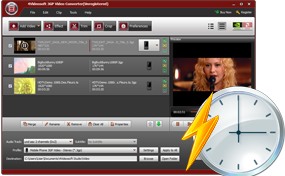
Provide the fastest conversion speed (>300%), completely support dual core CPU.
- System Requirements
- OS Supported: Windows NT4/2000/2003/XP and Windows Vista, Windows 7
- Hardware Requirements: 800MHz Intel or AMD CPU, or above; 512MB RAM or more
- Why choose 4Videosoft 3GP Video Converter?
- 4Videosoft 3GP Video Converter is possessed of strong converting and editing functions.
- 4Videosoft 3GP Video Converter is really easy to operate associated with fastest conversion speed.
- Once you buy it, you can free upgrade it for the whole life.
- 4Videosoft Studio provides you 7*24 online email support service for you to solve the puzzles you encountered immediately.
- What's new in 4Videosoft 3GP Video Converter?
- Do watermarking by adding image or text title in personalit.
- Support converting source file(s) to more than 3GP format respectively.
- Support selecting audio tracks and subtitle for the target video.