
3GP Video is often used on mobile phones. Mobile is getting more and more popular; People are increasing the demand for movies played on mobile devices in daily life. There are lots of sources of movies and videos there, but users need a tool to convert files into formats which are compatible. Normally, people transfer videos from their friend's mobile through Bluetooth or USB. But wouldn't it be fun if we could be the source for our friends to transfer videos to their mobile? 4Videosoft Video Converter for Nexus One that can work out this problem perfectly.
What you need?
Software: 3D Converter
OS Supported: Windows 8, Windows 7, Windows XP (SP2 or later), Windows Vista
Hardware Requirements: 800MHz Intel or AMD CPU, or above; 512MB RAM or more
Step 1 Add video files to convert
Click "Add Video" button to select WAV video files, then the file shall be listed in the screen.
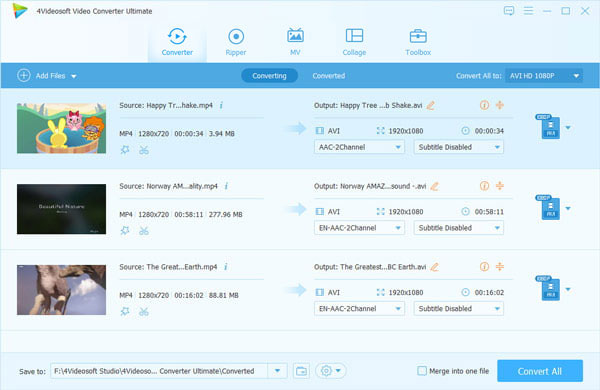
Note: You can delete WAV video files or delete all the video files. Besides, you also can order the video files. Before you convert, you can preview your WAV file as well.
Step 2 Select output format
Click the down-arrow to expand the menu and choose your 3gp video file, under the profile option, remember to choose one folder to store your 3gp video file.

Step 3 Start WMV to 3GP conversion
The last step is just click convert video button to let it work

 Free Download
 Free Download


