
Do you have a ton of DVDs? Want to watch them on the iPod? Now this DVD to iPod Converter can give you a big hand. This powerful DVD to iPod Converter can rip DVD to iPod easily. After DVD ripping to iPod, you can enjoy your DVD movie comfortably on iPod. But how to rip DVD to iPod? Here is a tutorial that explains how to use an awesome program to rip DVDs into iPod with DVD to iPod Converter.
Step 1 Import your DVD files
Double click this DVD to iPod converter, then you will see the following screen.
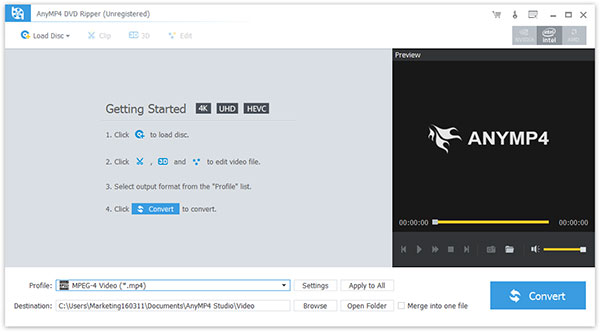
Just click"Load DVD" button to open your DVD. That"s OK!
Step 2 Select output format from the "Profile" list

(1) Multiple choices of iPod formats
You can choose your iPod compatible formats from the Profile drop-down list
( 2 ) File destination
You can name your files and choose the destination using this DVD to iPod Converter.
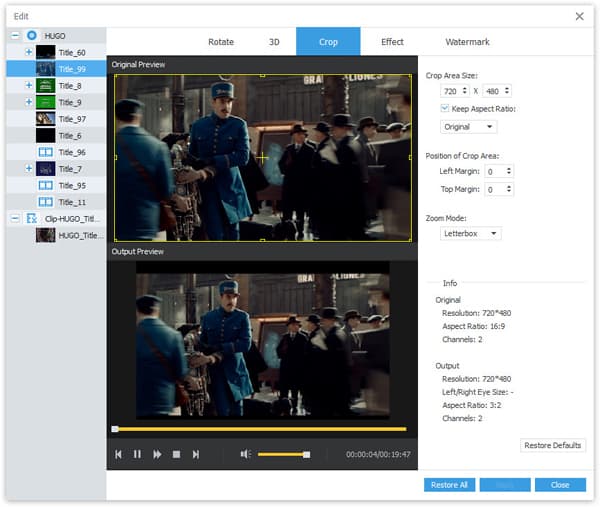
( 3 ) Editing functions
If you want to trim your video, rip DVD's any segment with flexible title and chapter choice, the "Trim", "crop" function can help you.
Step 3 Start the conversion
Get started to your ripping task just click Load DVD button

 Free Download
 Free Download


